
Faceless YouTube · Claude Code
Claude AI YouTube Automation: the faceless workflow we actually use
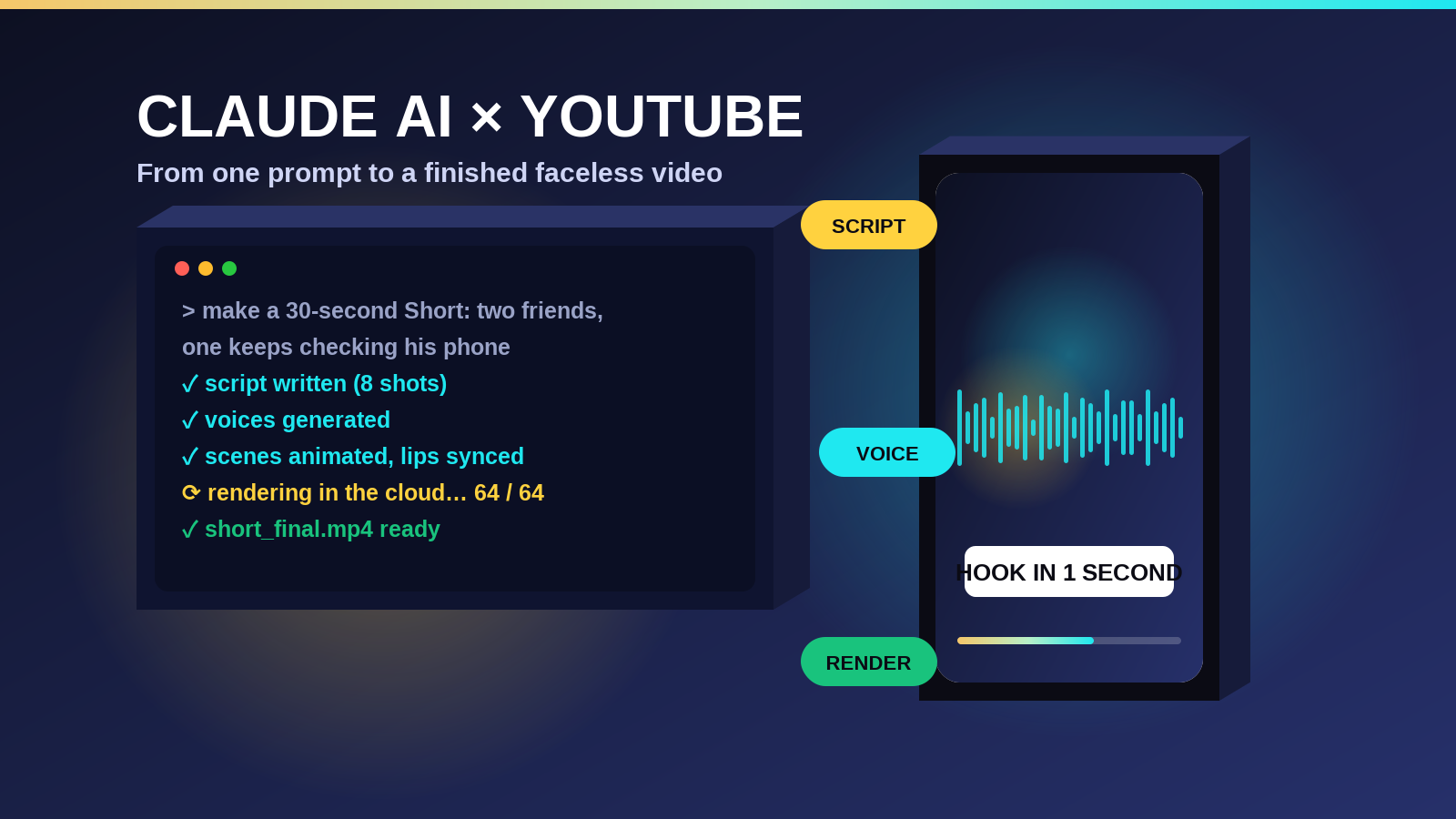
Most "AI YouTube automation" guides stop at "ask ChatGPT for a script". That's the easy 10%. The hard part is turning a script into a finished video with characters, voices and motion, every week, without a team. This is how we do it with Claude Code for our own stick-figure channels, step by step, with real costs and the mistakes to avoid.
What "Claude AI YouTube automation" really means
There are two very different things people call YouTube automation:
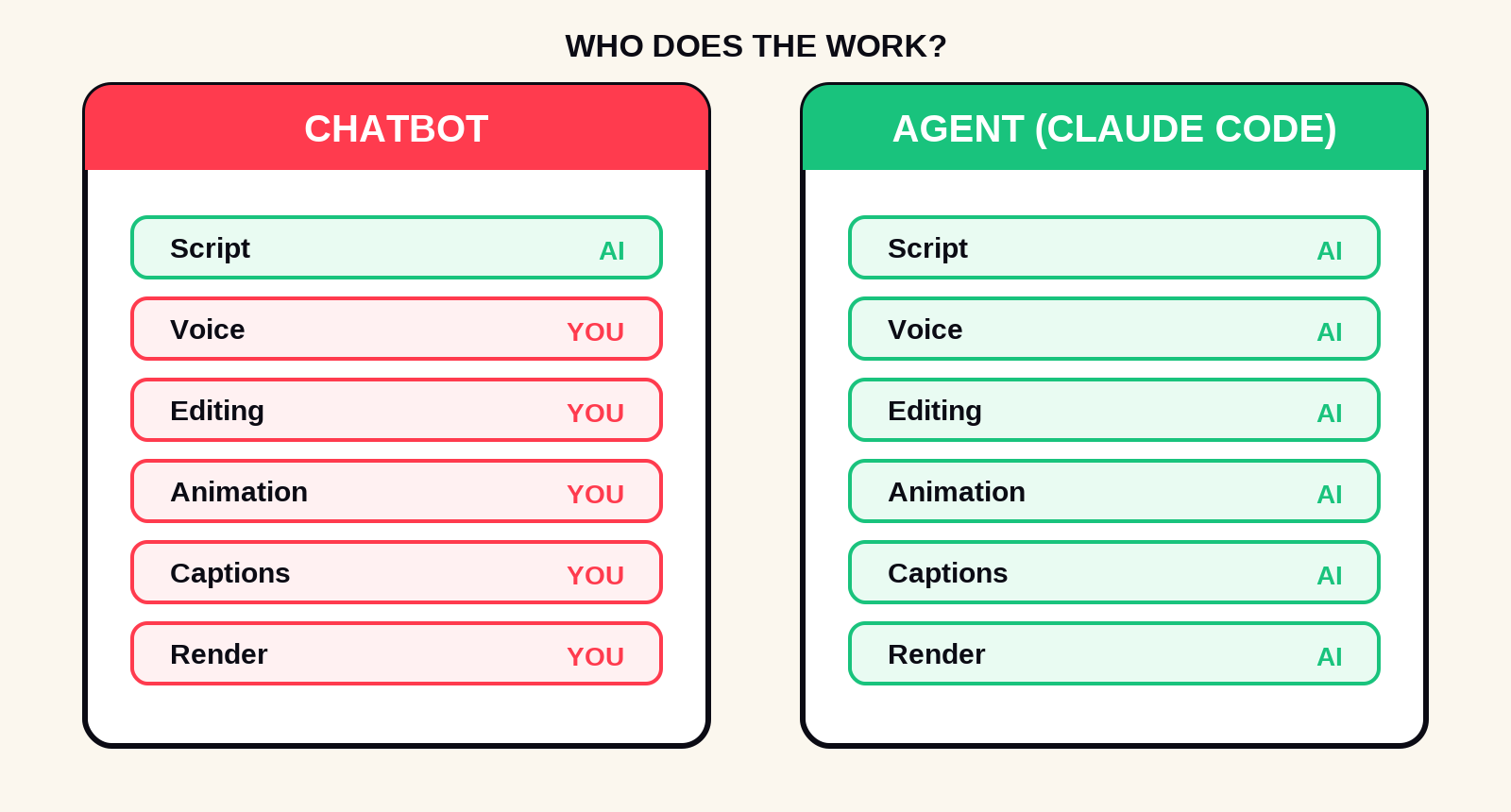
- Chatbot automation: you ask an AI for a script, then do everything else by hand: voice, editing, animation, captions, thumbnails. It saves maybe an hour per video.
- Agent automation: an AI agent that can write and run code on your computer builds the whole video from a script: the scenes, the characters, the lip-sync, the captions and the render. That's what Claude Code does, and it's where the real time savings are.
Claude Code is Anthropic's coding agent. It comes with the Claude Pro plan, runs in a terminal or the Claude desktop app, and can read files, install tools and execute programs for you. You talk to it in plain English. When something breaks, you paste the error (or a screenshot) and it fixes it.
Important: Claude doesn't "generate a video" like an image model generates a picture. It writes code that draws and animates the video, frame by frame. That's why the result is consistent (same characters every episode) and cheap to render.
The tools and what they cost
| Piece | What we use | Cost |
|---|---|---|
| The agent | Claude Pro with Claude Code | $20/month |
| Animation engine | A code-based stick-figure engine (characters, sets, camera, captions) | Free to build, or use a ready-made kit |
| Voices | Free open-source voice engines, or ElevenLabs for premium voices | Free, or ElevenLabs plan |
| Rendering | Cloud render (many machines in parallel) | A few cents per Short |
| Music and sound | Royalty-free libraries or AI-generated music you own | Free to low |
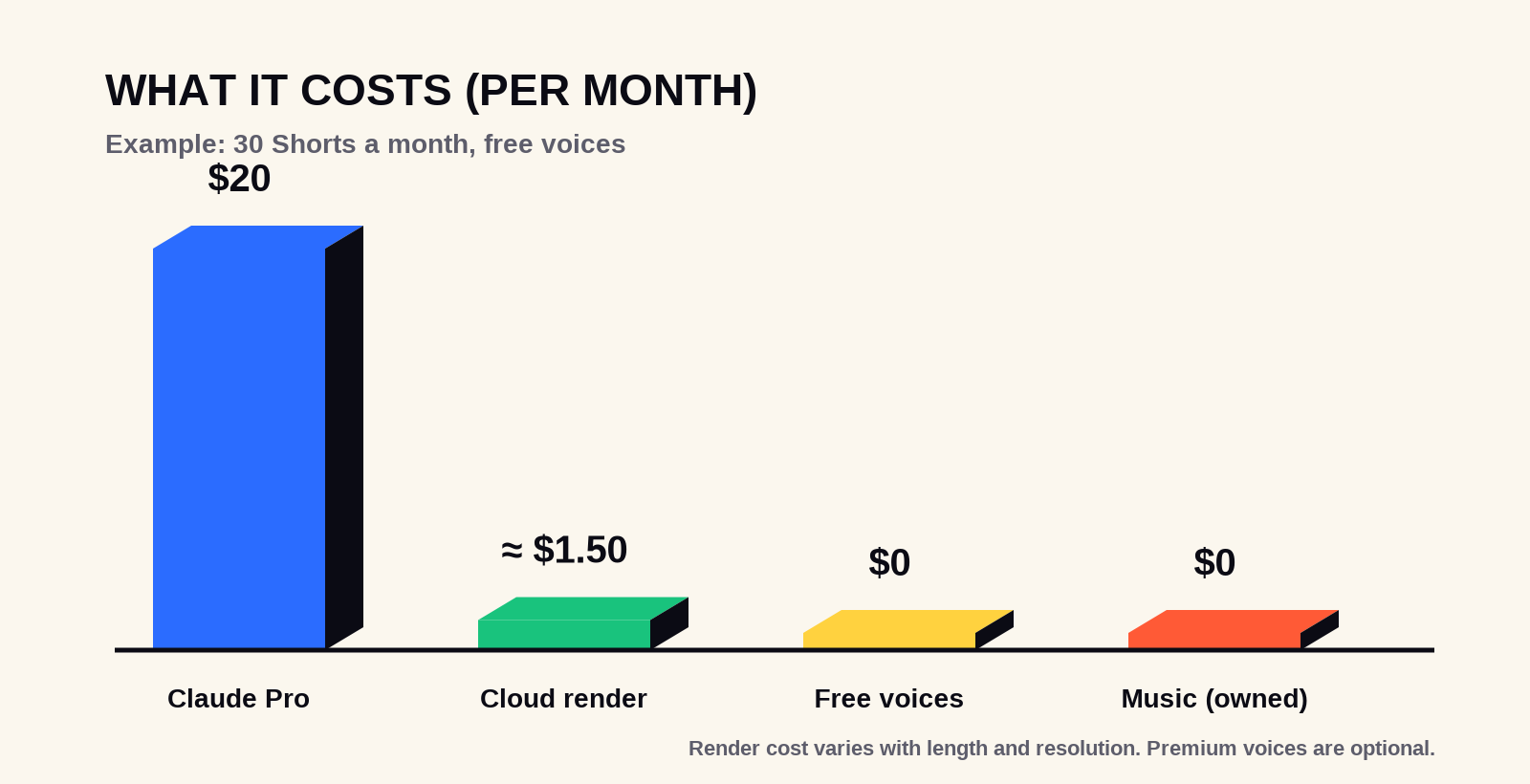
The only fixed cost is the Claude plan. Everything else scales with how many videos you make, and for Shorts it stays tiny: rendering a 30-second stick-figure Short in the cloud costs us a few cents.
The 6-step workflow
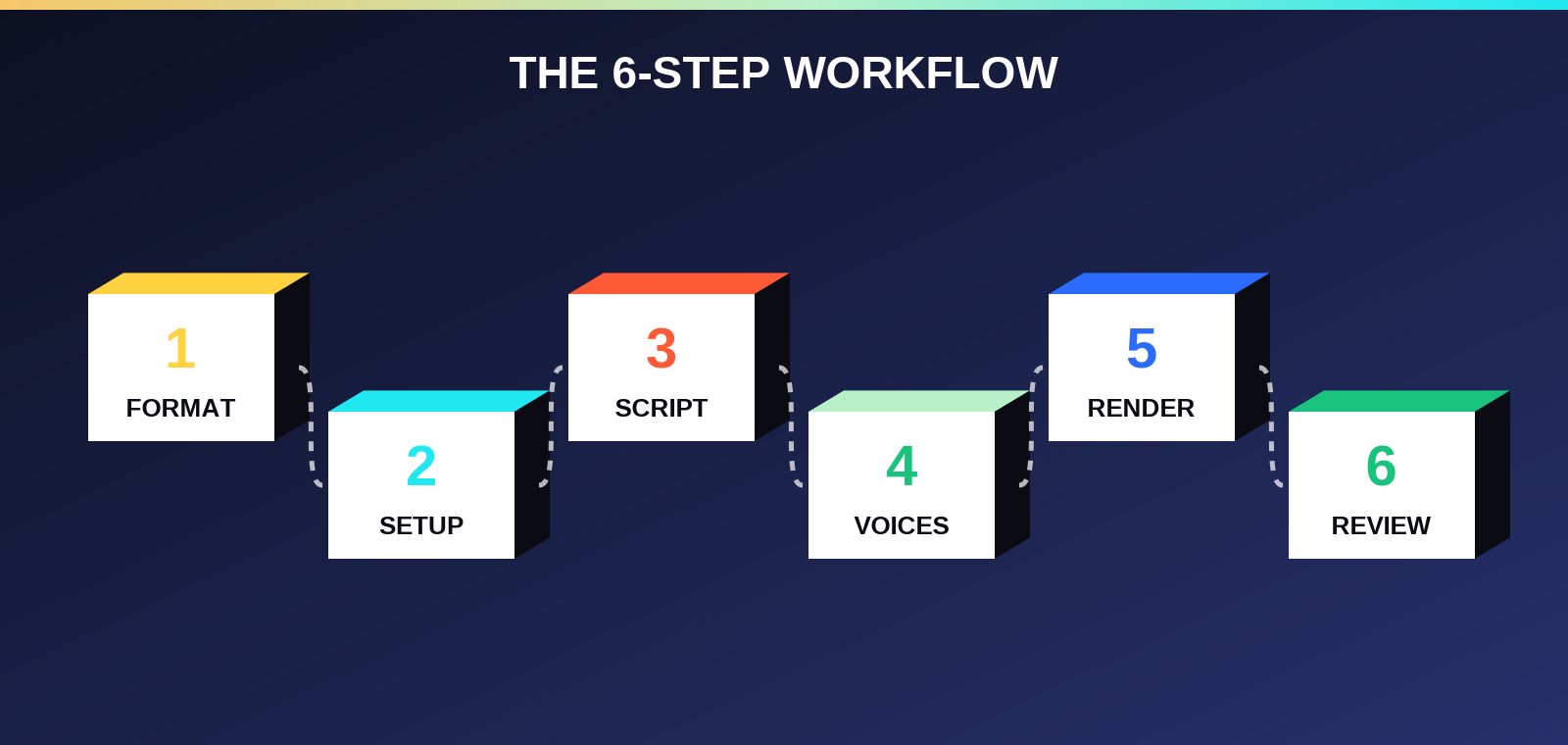
1. Pick one format, not one topic
Automation only pays off when you repeat a format: the same kind of story, the same cast, a recognizable look. "Two friends argue about money in 45 seconds" is a format. "Videos about finance" is not. Write your format in one paragraph; you'll give it to Claude in step 3.
2. Set up Claude Code and your project folder
Install the Claude desktop app (or Claude Code in a terminal), open an empty folder, and ask Claude to set up the project. A good first message:
I want to make faceless stick-figure Shorts (1080x1920, 30-60 s). Set up a project in this folder that can draw characters, sets and captions in code and render to MP4. Explain each step before you install anything.
Claude will propose a stack (for example a JavaScript animation library plus a renderer), install it and make a first test video. This is the step that takes beginners weeks of trial and error, and the one a ready-made engine skips.
3. Write scripts in "scene language"
Ask Claude for scripts that are already split into shots: who is on screen, what they say, what the camera does, and one sound effect per cut. Short lines, a hook in the first second, a twist at the end. Because the same agent writes the script and builds the scenes, nothing gets lost between "writer" and "editor".
4. Add voices
Free open-source voice engines are good enough to start and cost nothing. When a channel starts to grow, premium voices (like ElevenLabs) make characters more expressive. Either way, Claude wires the audio to the mouths so each character's lips move while they speak.
5. Render in the cloud
Rendering on a laptop is slow: a minute of animated video can take many minutes locally. A cloud render splits the video into chunks and renders them in parallel, so a Short is ready in a couple of minutes for a few cents. Claude can set this up for you on your own cloud account, step by step.
6. Review, then upload like a human
Watch every video before it goes out. Check the captions, the timing and the facts. Write the title and description yourself (or with Claude's help) around one clear keyword. Animated, clearly non-realistic cartoons generally don't need YouTube's "altered or synthetic content" label, which is meant for realistic footage; check YouTube's current rules for your case.
Want the shortcut?
The Ultimate YT Genius Starter is the setup we use: the stick-figure engine, the step-by-step blueprint and the prompts. Claude Code installs and tests everything with you, so you skip the weeks of setup in step 2.
See the Starter kit, $19One-time payment. Requires Claude Pro ($20/month).
What YouTube will and won't monetize
Faceless channels are monetized every day. What YouTube does not pay for is content that's mass-produced or repetitive: the same template with only a few words changed, or videos with no real story or value. Automation is a production tool, not an idea machine. Every video still needs:
- its own story or point of view;
- a script written for that video, not swapped from a template;
- a reason to watch until the end.
Use the time you save to make better videos, not just more of them.
5 mistakes that kill automated channels
- Changing format every week. Viewers subscribe to a format. Keep the cast and the look.
- Skipping the hook. The first second decides the swipe. Open on the conflict, not on a logo.
- Publishing without watching. One broken caption or a wrong fact costs more than the time automation saved.
- Copying another channel's characters or style. Build your own cast; it's also your brand.
- Expecting money in week one. Channels grow with consistency. Nobody can promise income, and you should be wary of anyone who does.
FAQ
Can Claude AI make YouTube videos by itself?
Not by itself. With Claude Code it writes the script, writes and runs the animation code, connects the voices and sends the render to the cloud. You choose the idea, review and upload.
How much does it cost?
Claude Pro is $20/month and includes Claude Code. Free voices cost nothing, and a cloud render of a Short costs a few cents. Premium voices are optional.
Do I need to know how to code?
No. You describe what you want and Claude Code writes the code. When something breaks, send it a screenshot of the error and it tells you what to do.
Shorts or long videos?
Both work with the same engine. Start with Shorts to test your format quickly, then turn the ones that work into longer horizontal videos.
Start small, dream big.
Get our blueprint and the Black Stick Engine, and make your first faceless video this week.
Get the Starter, $19One-time payment. Requires Claude Pro ($20/month). Not affiliated with YouTube or Anthropic.