
Voices · AI tools
AI voices for YouTube: free open-source voices vs ElevenLabs
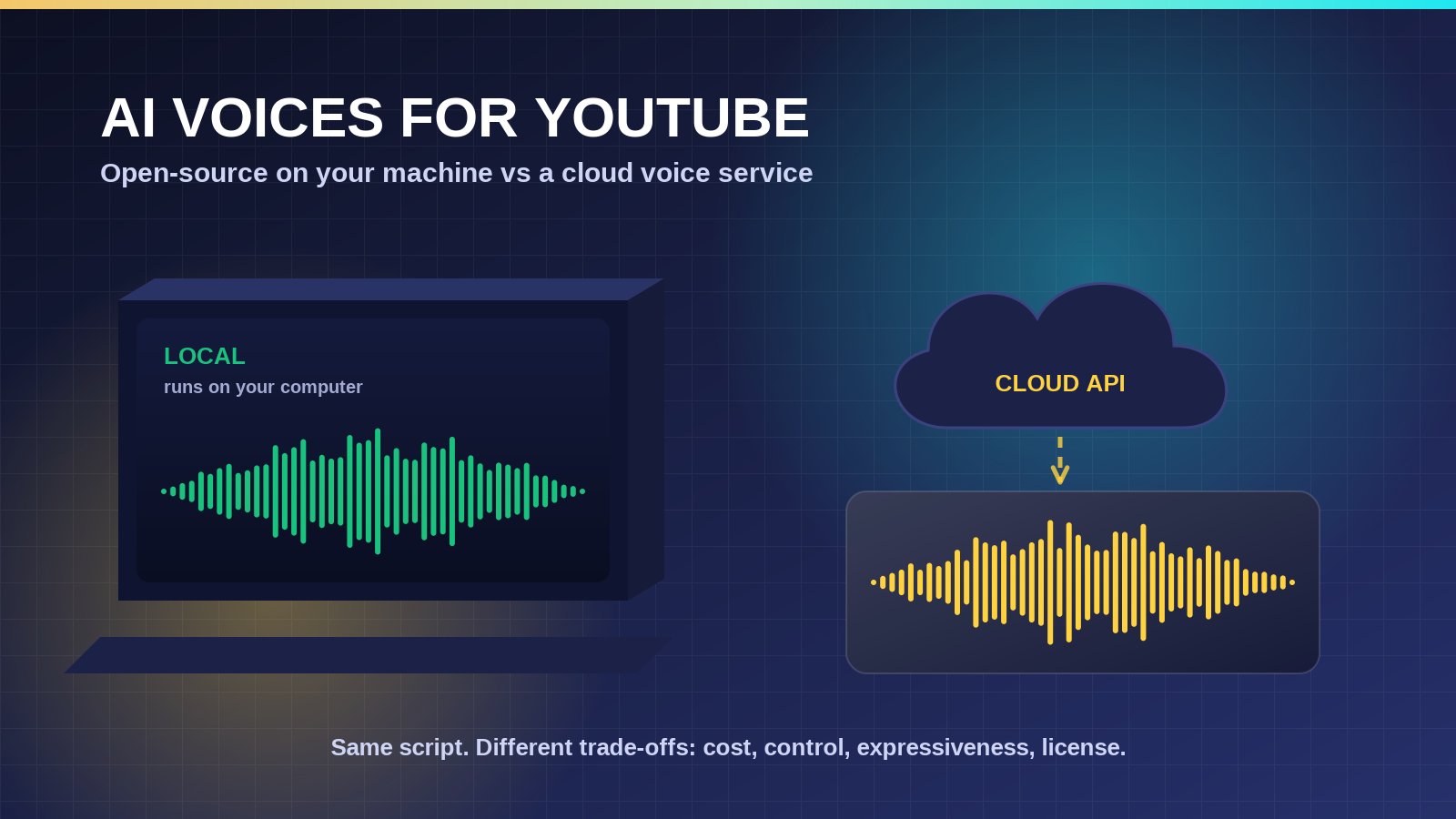
Every faceless channel needs a voice, and in 2026 you have two very different routes: open-source models you run on your own computer for free, or a cloud service like ElevenLabs that you pay per character. We use both on our own channels. This is a fair comparison, with no made-up benchmark scores, of what each route is good at, what the licenses actually allow, and when YouTube expects you to disclose synthetic content.
The short answer
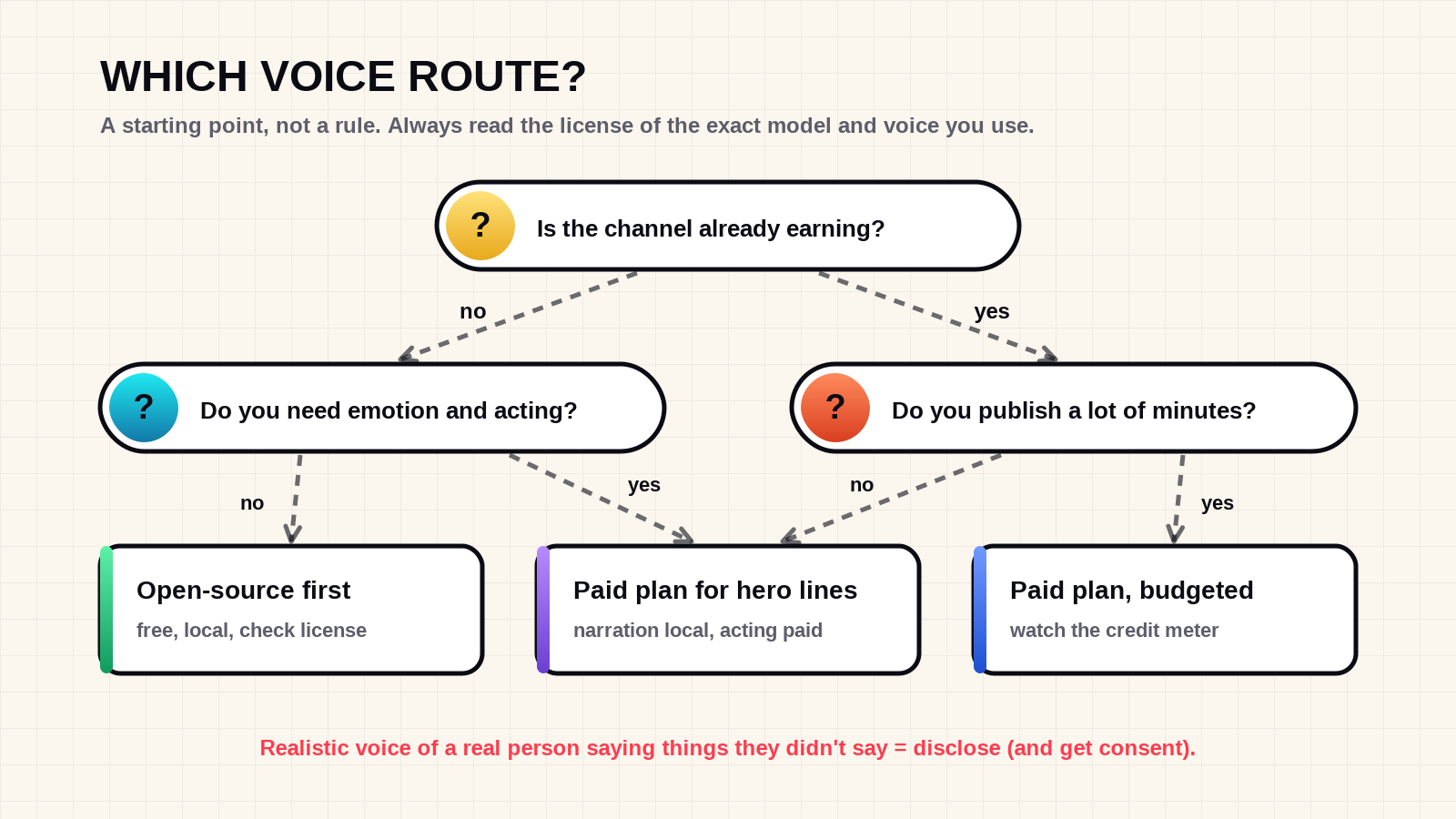
- Starting out, no revenue yet? Use an open-source voice. It costs nothing per minute, runs on your machine, and is good enough for clear narration.
- Characters that need to act (shout, whisper, joke, cry)? A cloud service like ElevenLabs is usually more expressive with less effort.
- Publishing many minutes a week? Paid credits add up. A hybrid (free narration, paid hero lines) keeps the bill predictable.
Open-source voices: what you get
"Open-source voice" usually means a text-to-speech model whose code and weights you can download and run on your own computer. You type (or your script generates) a line, the model outputs an audio file. No account, no per-character bill, and your scripts never leave your machine.
What you give up:
- Setup. You install Python packages or a small app, and sometimes fight with versions. An agent like Claude Code can do this for you and fix errors as they come up.
- Range. Many free voices are calm and clear but less theatrical. Fine for explainers, harder for comedy or drama.
- License homework. "Open" doesn't always mean "free for commercial use". The code, the weights and each voice can carry different licenses.
Models worth knowing
The open-source field moves fast, so treat this as a map, not a ranking. Licenses below are as published by each project when we checked; read the license file yourself before you monetize.
| Model | Good at | License (check it) |
|---|---|---|
| Kokoro-82M | Small (82 million parameters) and fast, runs well without a big GPU; clean narration in several languages | Apache 2.0 |
| Piper | Very fast, lightweight, many voices and languages; good for drafts and long narration | Varies by version and by voice; sources disagree, so read the repository and each voice's card |
| Chatterbox | More expressive delivery and voice cloning from a short sample | MIT, per its publisher |
| XTTS-v2 | Multilingual voice cloning | Coqui Public Model License, generally described as non-commercial; the company behind it closed in early 2024 |
Cloning is a consent question first. Only clone a voice you own or have written permission to use. "It's open-source" doesn't give you rights to anyone's voice.
ElevenLabs: what you pay for
ElevenLabs is a cloud voice service: you send text, it returns audio. What you're paying for is mostly expressiveness and convenience: a large library of voices, delivery that follows the emotion in the text, sound effects and music generation in the same account, and no setup on your machine.
How the pricing works, as listed on its pricing page in November 2026:
- Credits, not minutes. Each plan includes a monthly credit allowance that is spent per character of text you generate. Retakes spend credits too.
- Free plan: a small monthly allowance and no commercial license.
- Paid plans: start at a few dollars a month (the entry plan was listed at $6/month) and include a commercial license; higher tiers add credits and features. Prices change, so check the current page.
The hidden cost is retakes. If a character's line comes out wrong, you generate it again. For a 10-minute script with a lot of acting, budget for more characters than the script length.
The trade-offs side by side
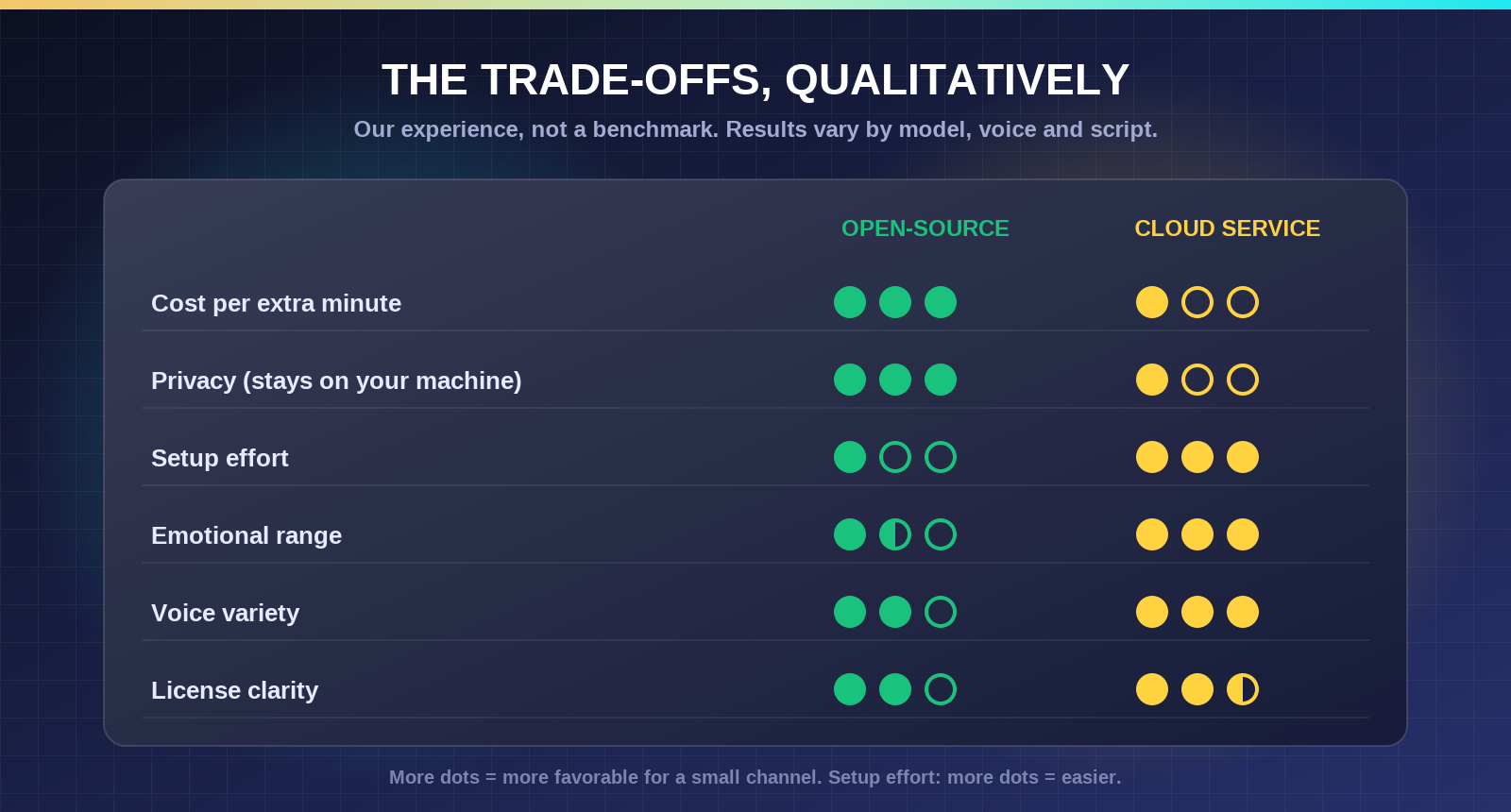
| Open-source, local | Cloud service (e.g. ElevenLabs) | |
|---|---|---|
| Cost per extra minute | Zero (your electricity and time) | Credits per character, plus retakes |
| Privacy | Scripts stay on your computer | Text is sent to the provider |
| Setup | Install and maintain it yourself | Sign up and go |
| Emotional range | Good to limited, depends on the model | Usually wide, follows the text's emotion |
| Consistency over months | You control the version; nothing changes unless you update | Voices and models can be updated or retired by the provider |
| Licensing | Per model and per voice; read each one | Per plan; commercial use on paid plans |
Voices are one step of six
The Starter wires voices, mouths, captions and music together for you: Claude Code generates each line, syncs it to the characters and renders the video, with free voices by default and premium ones when you want them.
See the Starter kit, $19One-time payment. Requires Claude Pro ($20/month).
A hybrid workflow that works
On our own channels the voice isn't a separate step done by hand. It's one stage in a pipeline the agent runs:
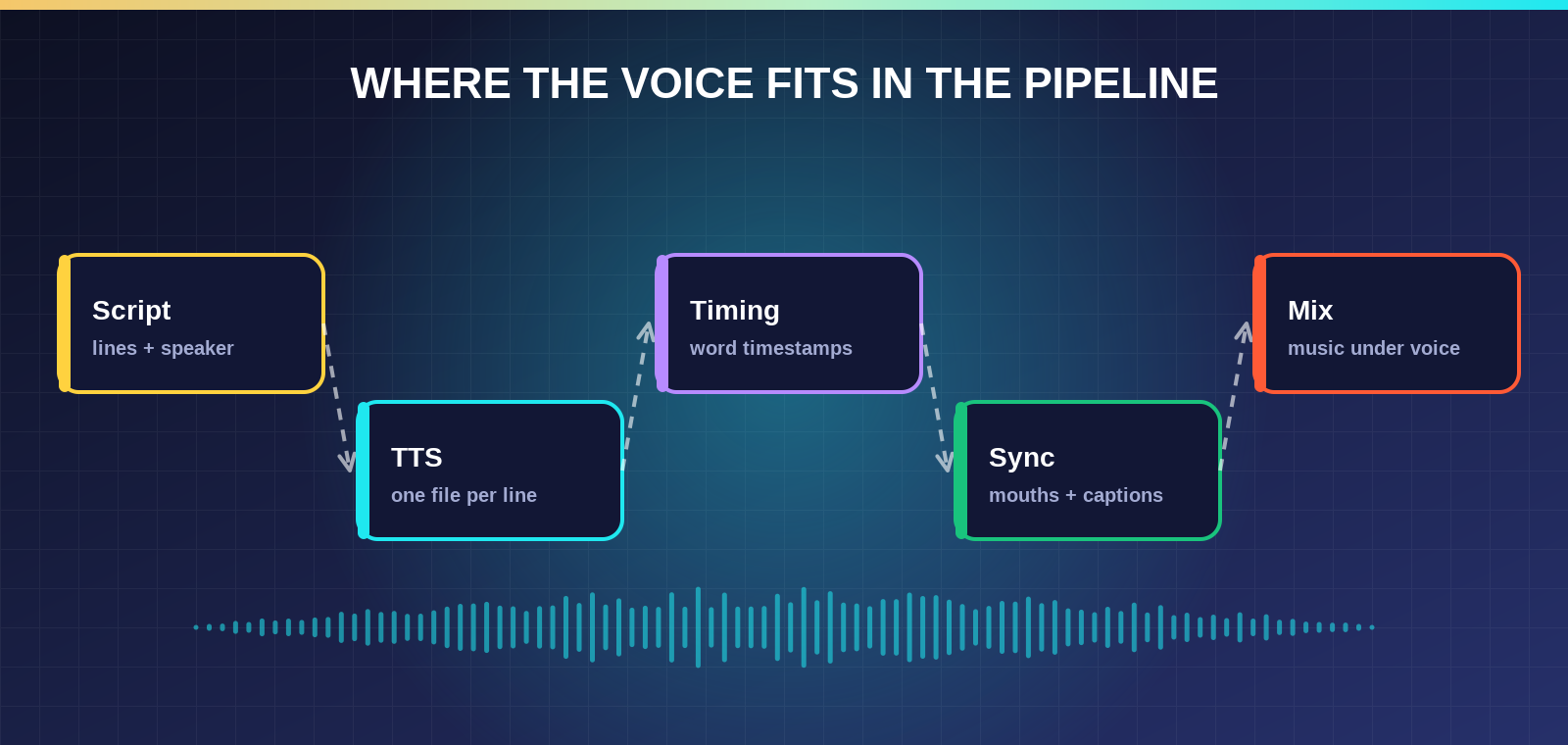
- Script with speakers. Every line is tagged with who says it, so each character always gets the same voice.
- One file per line. If one line is wrong, you regenerate that line, not the whole scene. This matters most on paid credits.
- Word timing. A speech-to-text pass gives timestamps for each word. Captions and mouth movements are driven from those, so lips move only while a character is speaking.
- Mix. Music sits under the voice and ducks when someone talks; the final loudness is normalized so the voice is never lost.
The hybrid part: generate the whole script with a free local voice first. Watch the rough cut. Then pay only for the lines that need real acting, like the punchline, the argument, the emotional beat. You get most of the expressiveness for a fraction of the credits, and the timing work is already done.
We describe the whole pipeline, from script to render, in Claude AI YouTube automation, and the animation side in AI animation for YouTube.
YouTube disclosure and consent
YouTube asks creators to disclose content that is realistic and altered or synthetic, the kind a viewer could mistake for real. Examples on its help page include making a real person appear to say or do something they didn't, altering footage of real events or places, and generating realistic scenes that didn't happen.
- An AI narrator in an obviously animated video isn't one of YouTube's listed examples. Fully animated, clearly unrealistic content generally doesn't need the label.
- Cloning your own voice for voiceovers or dubs is listed by YouTube as an edit that doesn't need disclosure.
- A realistic voice of a real person saying things they never said needs disclosure, and it needs that person's consent. Without consent, don't do it at all.
Rules evolve, so check YouTube's current help page on altered or synthetic content when in doubt. Disclosing when you're unsure costs little.
The bigger monetization risk isn't the AI voice, it's sameness. YouTube's inauthentic content policy targets channels where every video uses the same narration over slightly different visuals. A synthetic voice reading an original, well-structured script is just a production choice.
How to test voices on your own script
Generic demo clips are written to make a voice sound good. Your script is the only test that matters. A fair way to compare, in under an hour:
- Pick three lines from your real script: one plain narration line, one with a number or a name, and one emotional line (a joke, a shout, a sad beat).
- Generate each line with every candidate, using default settings first. Don't tune one voice for twenty minutes and the others for two.
- Listen blind. Rename the files so you don't know which is which, and play them on a phone speaker.
- Score what your format needs, not overall "quality": clarity for explainers, timing for comedy, warmth for stories.
- Check the boring parts: how long a line takes to generate, how often you need a retake, and whether the license fits a monetized channel.
Keep the winning settings written down with the project. Consistency across episodes matters more than squeezing out a slightly better take.
Making any AI voice sound better
- Write for the ear. Short sentences, contractions, one idea per line. AI voices stumble on long clauses.
- Spell numbers and names the way they're said. "Twenty twenty-six", not "2026"; add a phonetic spelling for unusual names.
- Use punctuation as direction. A dash for a beat, an ellipsis for hesitation, a question mark for lift.
- Keep the same voice per character forever. Viewers recognize a voice before they recognize a drawing.
- Normalize the final mix. Uneven loudness between lines is the most common reason AI audio sounds cheap.
- Listen on a phone speaker. That's where most Shorts are heard.
FAQ
What is the best free AI voice for YouTube?
There's no single best. Small open models like Kokoro are fast and permissively licensed, which makes them a good default for narration. Models with emotion control or voice cloning, like Chatterbox, can sound more expressive but need more setup. Listen to your own script in each before deciding.
Can I use ElevenLabs voices on a monetized YouTube channel?
Paid ElevenLabs plans include a commercial license; the free plan does not, according to its pricing page in November 2026. Read the current terms for your plan before publishing on a monetized channel.
Do I have to disclose an AI voice on YouTube?
YouTube requires disclosure for realistic altered or synthetic content, such as making a real person appear to say something they didn't. An AI narrator in an obviously animated video is not one of YouTube's listed examples, and cloning your own voice for voiceovers is listed as not needing disclosure. Check YouTube's current help page for your case.
Are open-source voices really free for commercial use?
Some are, some aren't. Kokoro-82M is released under Apache 2.0. XTTS-v2's weights use the Coqui Public Model License, which is generally described as non-commercial. Licenses can differ between the code, the model weights and individual voices, so check each one.
Will YouTube demonetize videos with AI voices?
Not for the voice itself. The risk is inauthentic content: templated, mass-produced videos with the same narration and little variation. An AI voice reading an original, well-made script is a production choice.
Start free, upgrade the lines that matter
Get the engine, the blueprint and the prompts we use, with a free voice setup out of the box and room to plug in a premium voice later.
See the Starter kit, $19One-time payment. Requires Claude Pro ($20/month).