
AI animation · Comparison
AI animation for YouTube: stick figures vs 3D vs AI video generators
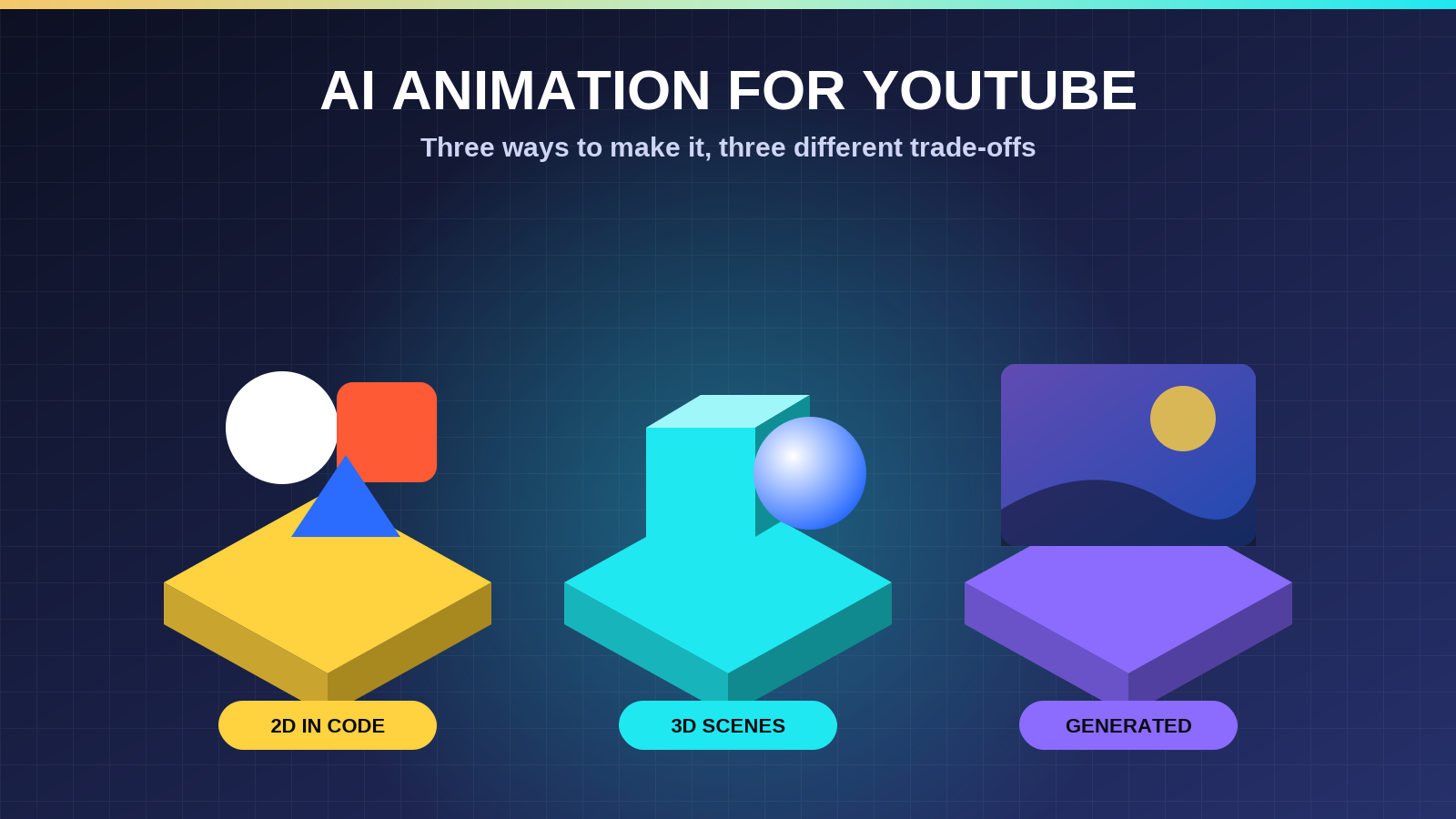
"AI animation" covers three very different things. One is 2D animation drawn by code that an AI agent writes. One is 3D scenes built and rendered the same way. The third is typing a prompt into an AI video generator and getting a clip back. They look similar in a hype thread. They behave very differently when you have to publish every week and keep a channel monetized. Here's the honest comparison.
The three routes, in one paragraph each
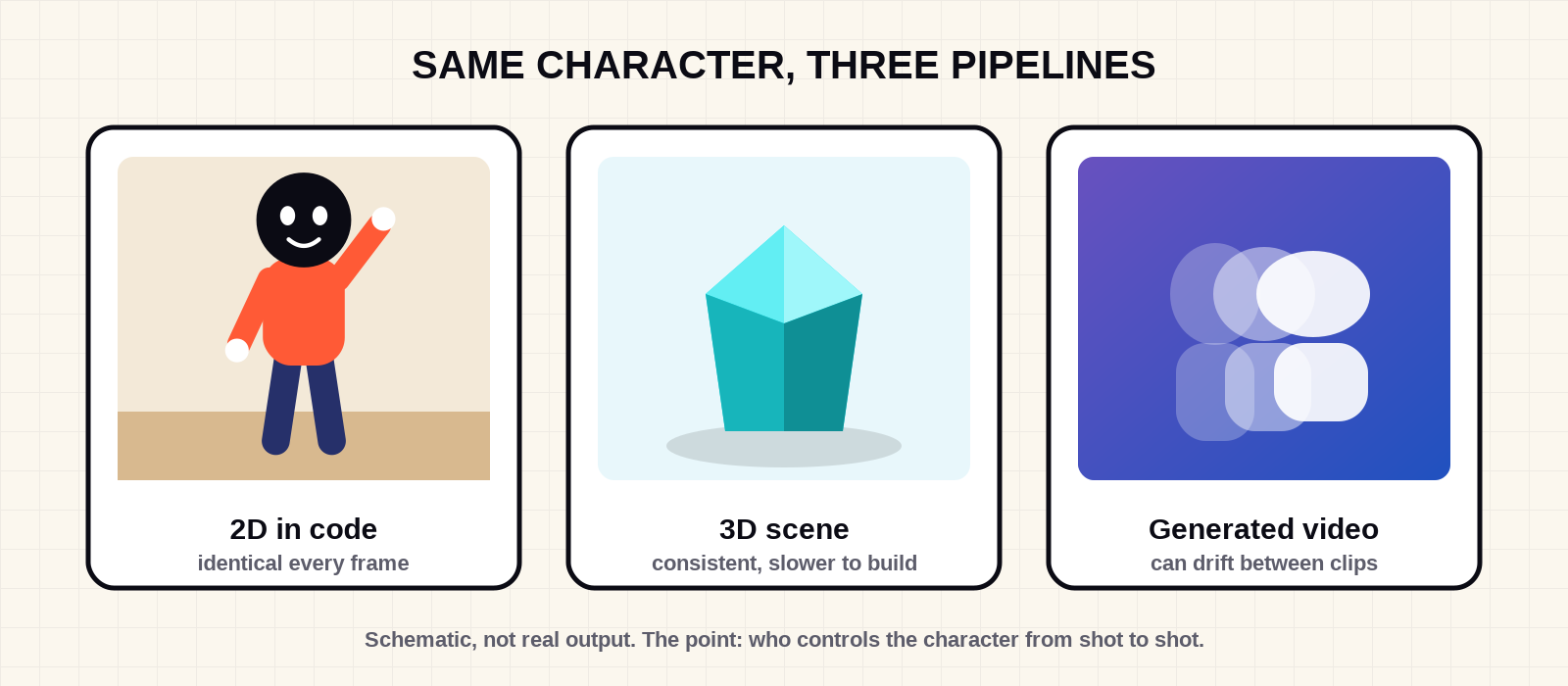
1. 2D animation in code (stick figures, flat shapes, explainers). An AI agent such as Claude Code writes code that draws characters, sets, captions and camera moves, then a renderer turns it into an MP4. Nothing is "generated" pixel by pixel: every frame is drawn from the same instructions, so characters stay identical. Simple looks, like stick figures and flat motion graphics, fit this route best.
2. 3D scenes. Same idea with depth: models, lights and cameras defined in code (or in a 3D app) and rendered. More cinematic, more work to set up, heavier renders.
3. AI video generators. You describe a shot in a prompt (or give a reference image) and a model returns a short clip, usually a few seconds to a few tens of seconds per generation. The look can be stunning. You don't control exactly what's in each frame.
Side-by-side comparison
| 2D in code | 3D scenes | AI video generators | |
|---|---|---|---|
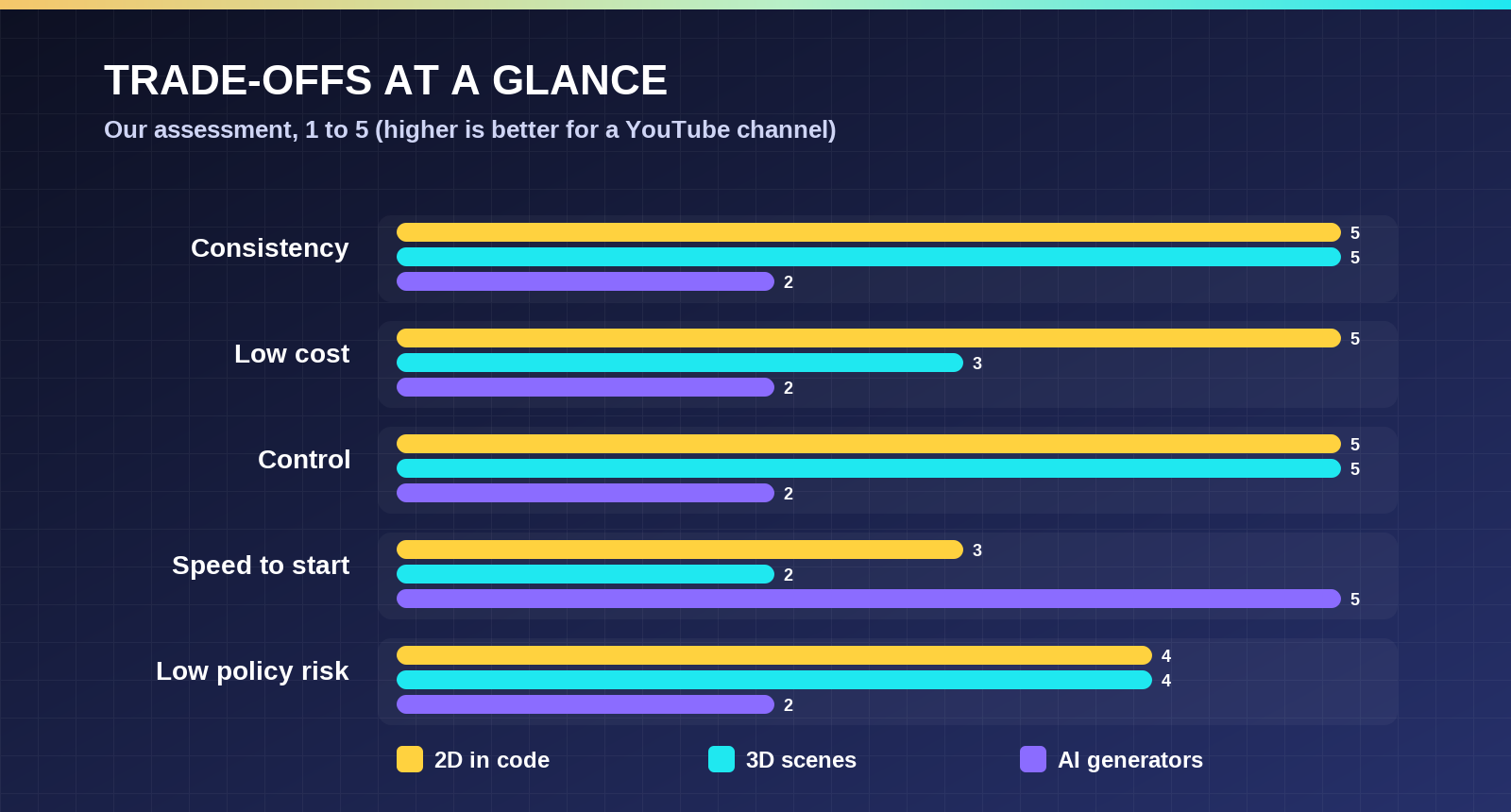
| Character consistency | Exact, every frame | Exact once modeled | Varies between clips; needs references and retries |
| Render cost | Very low (cents per minute in the cloud) | Low to moderate | Highest; priced per generated second |
| Control | Total: positions, timing, text | Total, more knobs | Partial: you steer with prompts |
| Speed to first video | Medium (needs an engine) | Slow | Fast |
| Text and numbers on screen | Crisp and exact | Exact | Can be garbled; add in post |
| Long videos (10+ min) | Practical | Practical, slower | Hard: dozens to hundreds of clips to stitch |
Consistency: the hidden deal-breaker
Viewers subscribe to characters and formats. If your host looks slightly different in every shot, the channel never builds that recognition. This is the single biggest practical difference between the routes.
- With code-drawn animation, the character is a definition: colors, proportions, outfit. Episode 1 and episode 100 use the same file.
- With generators, consistency has improved a lot (reference images, character features), but it still takes retries, and small details such as hands, logos on clothing and background props tend to drift between clips.
For a channel built around one recurring cast, that drift costs you time in every video. For a channel built around one-off scenic shots (moods, landscapes, abstract visuals), it barely matters.
Cost per finished minute
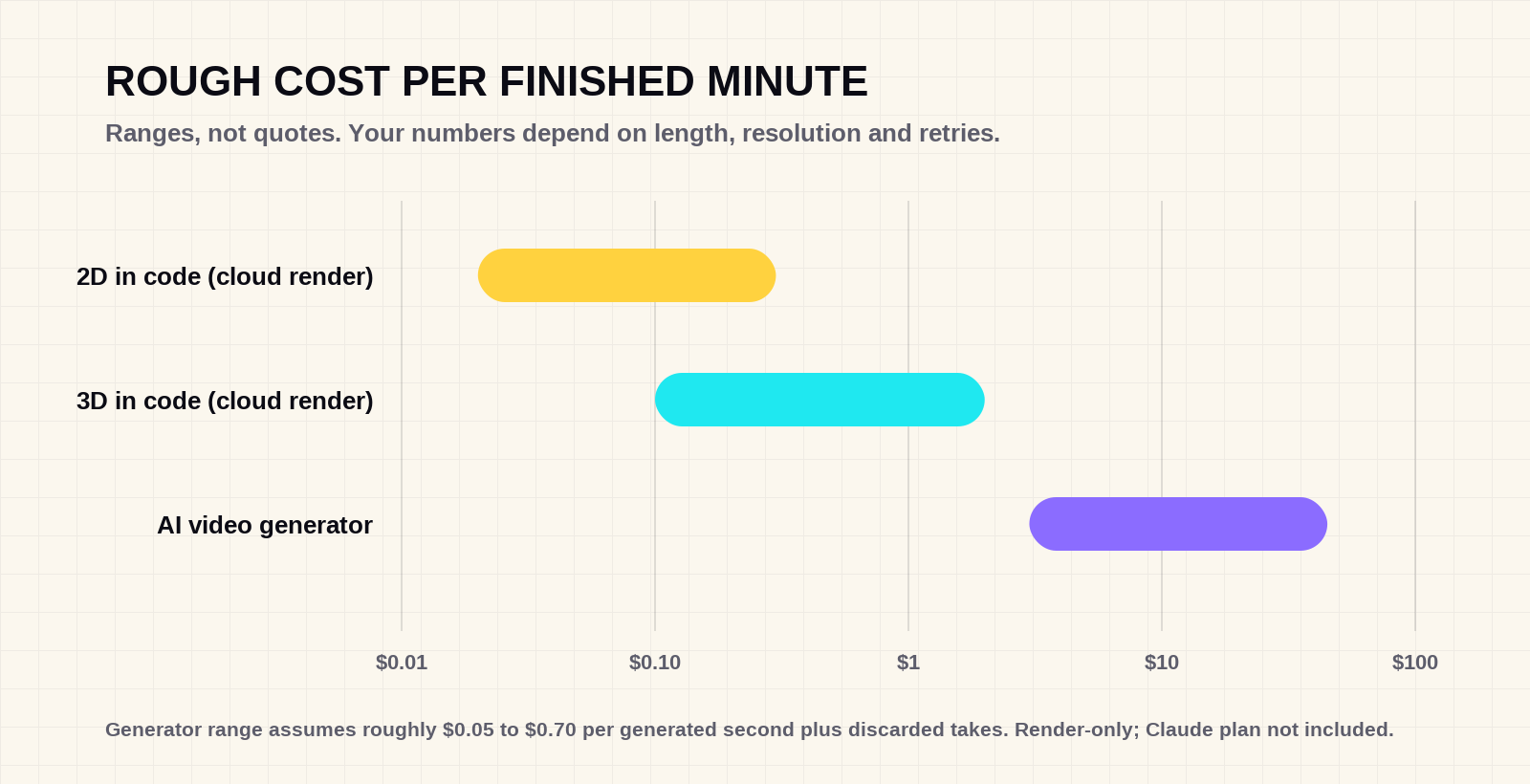
Code-drawn video is cheap to render because it's just drawing shapes: rendering a short stick-figure video in the cloud costs us a few cents. 3D costs more because each frame is heavier.
Generators are priced per second of output. Public API prices we checked in late 2026 ranged from roughly $0.05 to $0.70 per generated second depending on model and resolution, and consumer apps bundle the same thing into credit plans. Two things push the real number up:
- Retries. You rarely keep the first take. If you keep one in three, your cost per used second triples.
- Length. A 10-minute video is 600 seconds of footage. That's where generators go from "cheap test" to "real budget line".
The fixed cost on the code routes is the setup and the agent (Claude Pro is $20/month). Prices change often, so treat any number here, ours included, as a range to re-check.
Want the 2D-in-code route ready to go?
The Starter kit includes the code-based animation engine we use, plus the blueprint and prompts. Claude Code sets it up and renders a test video with you.
See the Starter kit, $19One-time payment. Requires Claude Pro ($20/month).
Control and revisions
Ask yourself what happens when you need to change something after the video is "done".
- Code routes: "Change the price on screen from $40 to $45" means editing one value and re-rendering. "Move the character left" is a number. Every revision is cheap and exact.
- Generators: changing one detail usually means generating the clip again and hoping the rest stays the same. On-screen text is often better added afterward in an editor.
That's why many creators mix them: generated clips for atmosphere and b-roll, code for everything that has to be exact (characters, charts, captions, titles).
Monetization and disclosure risk
No animation style is banned from monetization. What YouTube doesn't pay for is inauthentic content, the name it adopted in July 2025 for what it previously called "repetitious content": mass-produced or repetitive videos, such as near-identical narrated stories or the same template with only superficial changes. YouTube described that update as a clarification of rules that already existed.
Two practical consequences:
- The risk is in how you produce, not which tool you use. A channel pumping out 30 lightly varied generator clips a day is at risk. So is a stick-figure channel that swaps three words per script. A channel with real stories and real scripts isn't, whichever route it uses.
- Disclosure depends on realism. YouTube asks creators to disclose meaningfully altered or synthetic content that looks realistic. Its help page lists clearly unrealistic content, including animation, as not needing that label. Photorealistic generated people or events are exactly what the label is for. Check the current help page for your case.
Our read: stylized 2D and 3D sit comfortably on the "clearly animated" side. Photorealistic generator footage is fine to use, but needs the disclosure when it could be mistaken for real, and needs extra care with real people and news events.
A hybrid setup that works
You don't have to choose one route forever. The setup we see working best for small faceless channels splits the job by what each route is good at:
- Characters, dialogue and anything recurring: drawn in code, so the cast never changes and lip movement can follow the voice track.
- Charts, maps, numbers and titles: also in code, because they must be exact and readable.
- Occasional establishing shots (a city at night, a stormy sea, a rocket launch): generated, a few seconds at a time, where drift doesn't matter because nothing recurs.
- One look on top of everything: the same color palette, fonts and caption style, so generated shots don't feel pasted in.
Keep generated footage as seasoning, not the meal. If a viewer could describe your channel as "AI clips with a voice-over", the format is too thin, both for retention and for YouTube's rules on mass-produced content. If they'd describe it by its characters or its stories, you're on the right side.
One practical tip: decide the split in the script, not during editing. Mark each beat as "code" or "generated" when you write it. That keeps generator spending predictable and stops the afternoon from turning into a re-roll session.
Which one should you pick?
| If your channel is… | Start with |
|---|---|
| A recurring cast, story or comedy format (Shorts or long) | 2D in code |
| Explainers with charts, maps, numbers | 2D in code (motion graphics) |
| Cinematic product, sci-fi or "what if" visuals | 3D, or generators for establishing shots |
| Mood, ambience, music visuals | Generators |
| Long videos (10–20 min) on a small budget | 2D in code, with occasional generated b-roll |
If you're still choosing a niche, our list of faceless YouTube channel ideas pairs each idea with a production style. To see how the 2D route works end to end with Claude Code, read Claude AI YouTube automation; for the motion-graphics flavor, see AI motion graphics with code.
FAQ
What is the best AI animation tool for YouTube?
It depends on the format. For recurring characters and long videos on a budget, 2D animation drawn in code is the most consistent and cheapest to render. For short cinematic shots, AI video generators are fastest. 3D sits in between and takes the most setup.
Can you monetize AI animation on YouTube?
Yes. YouTube monetizes animated and AI-assisted videos. What it excludes is inauthentic content: mass-produced or repetitive videos with only superficial differences. Each video needs its own script and value.
Do I have to label AI animation as altered or synthetic?
YouTube's disclosure is for realistic altered or synthetic content. Its help page lists clearly unrealistic content such as animation as not needing it. Photorealistic generated people or events should be disclosed.
Why do characters change between AI video clips?
Generators create each clip from a prompt, so small details can drift between generations even with reference images. Code-drawn animation avoids this because every frame comes from the same character definition.
How much does AI animation cost per video?
Code-rendered 2D video costs cents per minute to render, plus your AI plan. AI video generators are priced per generated second, roughly $0.05 to $0.70 per second on public APIs in late 2026, before retries. Prices change often.
Pick the route you can repeat.
If consistent characters and low render costs matter to your channel, start with the engine, the blueprint and the prompts in the Starter.
See the Starter kit, $19One-time payment. Requires Claude Pro ($20/month).