
Beginners · Video editing
AI video editing for beginners: the simplest setup that works
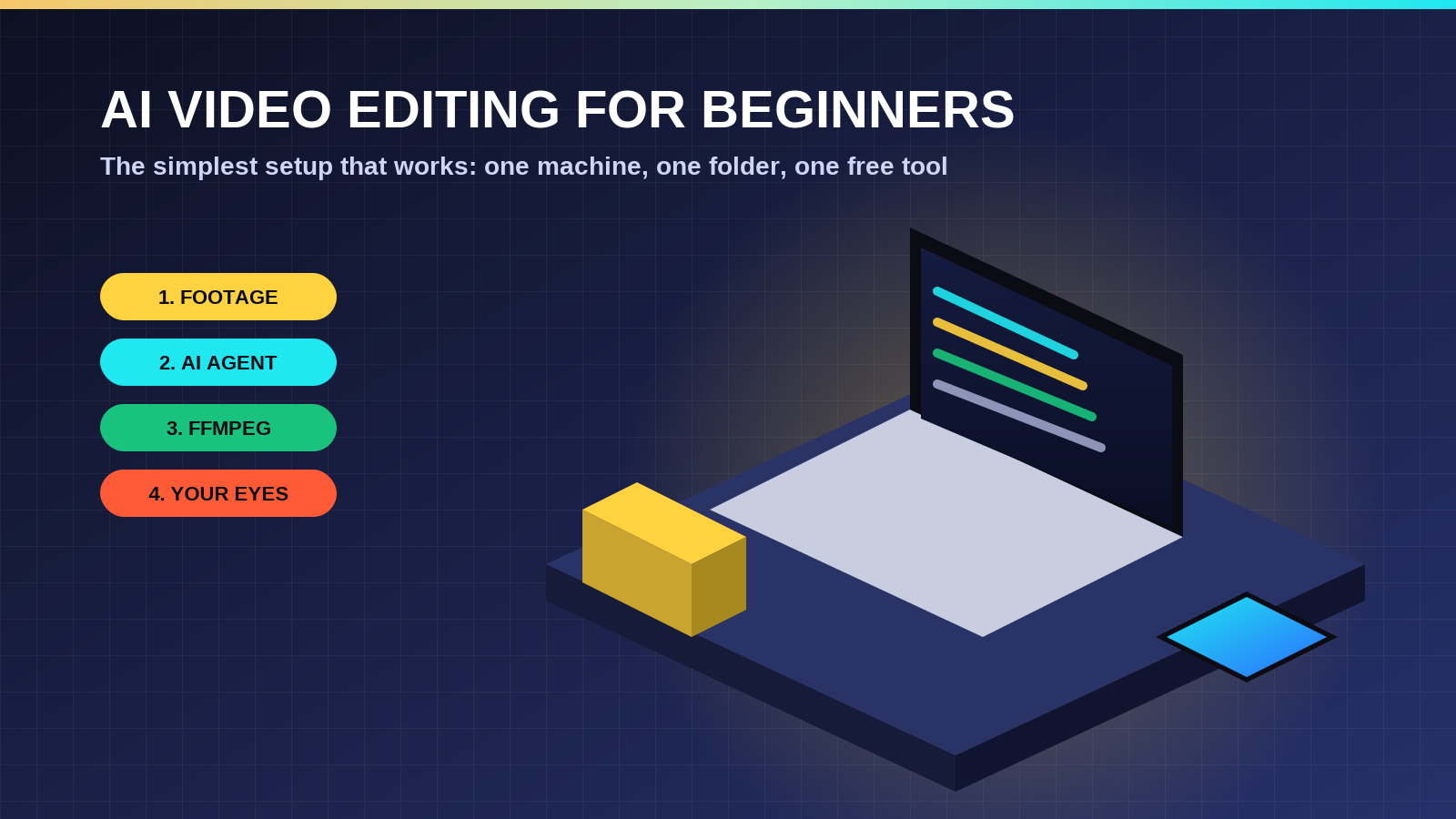
If you're new to video editing, the AI tool market is overwhelming: dozens of apps, each promising one-click videos. You don't need most of them. This tutorial shows the simplest AI video editing setup we know that actually holds up: one computer, one AI agent, one free tool and a tidy folder. Then it walks you through your first four edits, with prompts you can copy.
The setup: four things, one is free
| Piece | What it is | Cost |
|---|---|---|
| A computer | Any recent Mac or Windows laptop. Editing this way is light; rendering long animation is the only heavy part, and that can go to the cloud. | What you have |
| An AI agent | Claude Code, which comes with the Claude Pro plan. It writes and runs the editing commands for you. | $20/month |
| ffmpeg | The free command-line video tool that powers a huge share of video software. Claude Code drives it. | Free |
| Your eyes | You watch every result and decide. Non-negotiable. | Your time |
Why an agent and not an "AI editor" app? Because you can see and change every step. When an app's magic button does something weird, you're stuck. When Claude Code does something weird, you can ask what it ran and why, then change it. You learn editing as you go, which beginners tend to underrate.
Expectations: there's no timeline here. You describe edits in words and check the files. If you love dragging clips around, keep a free visual editor too; see what Claude Code can and can't do with video for where each one wins.
Installing it in 20 minutes
- Get Claude Pro and install the Claude desktop app (or Claude Code in a terminal).
- Make a folder called something like
my-channeland open it in Claude Code. - Ask Claude to install ffmpeg. It will suggest the right method for your system (for example Homebrew on a Mac or winget on Windows) and explain each step before running it.
I'm a beginner. Check if ffmpeg is installed. If not, install it the safest way for this computer and explain each step before you run it. Then make a 5-second test video so I can see it works.
When something fails (it happens), copy the error or take a screenshot and paste it into the chat. That's the whole troubleshooting method.
One folder per video
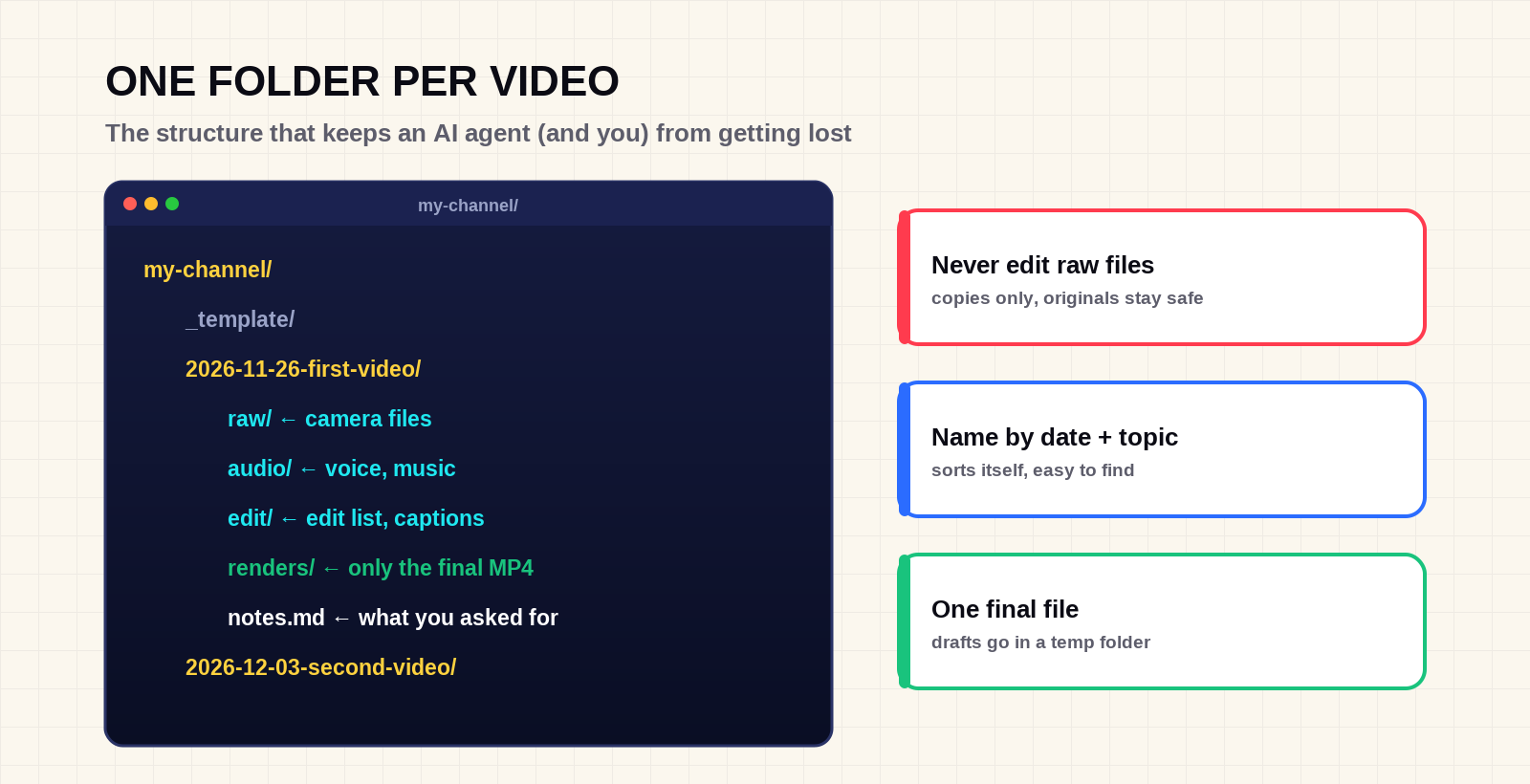
An AI agent works best when files are where it expects them. Use the same structure for every video:
raw/: original footage. Never edited, never overwritten.audio/: voice-over, music, sound effects.edit/: cut lists, captions, anything the agent generates along the way.renders/: only the final MP4.notes.md: what you asked for and what you'd change next time.
Tell Claude Code about this structure once, and ask it to always follow it. Name video folders by date and topic so they sort themselves.
Your first four edits
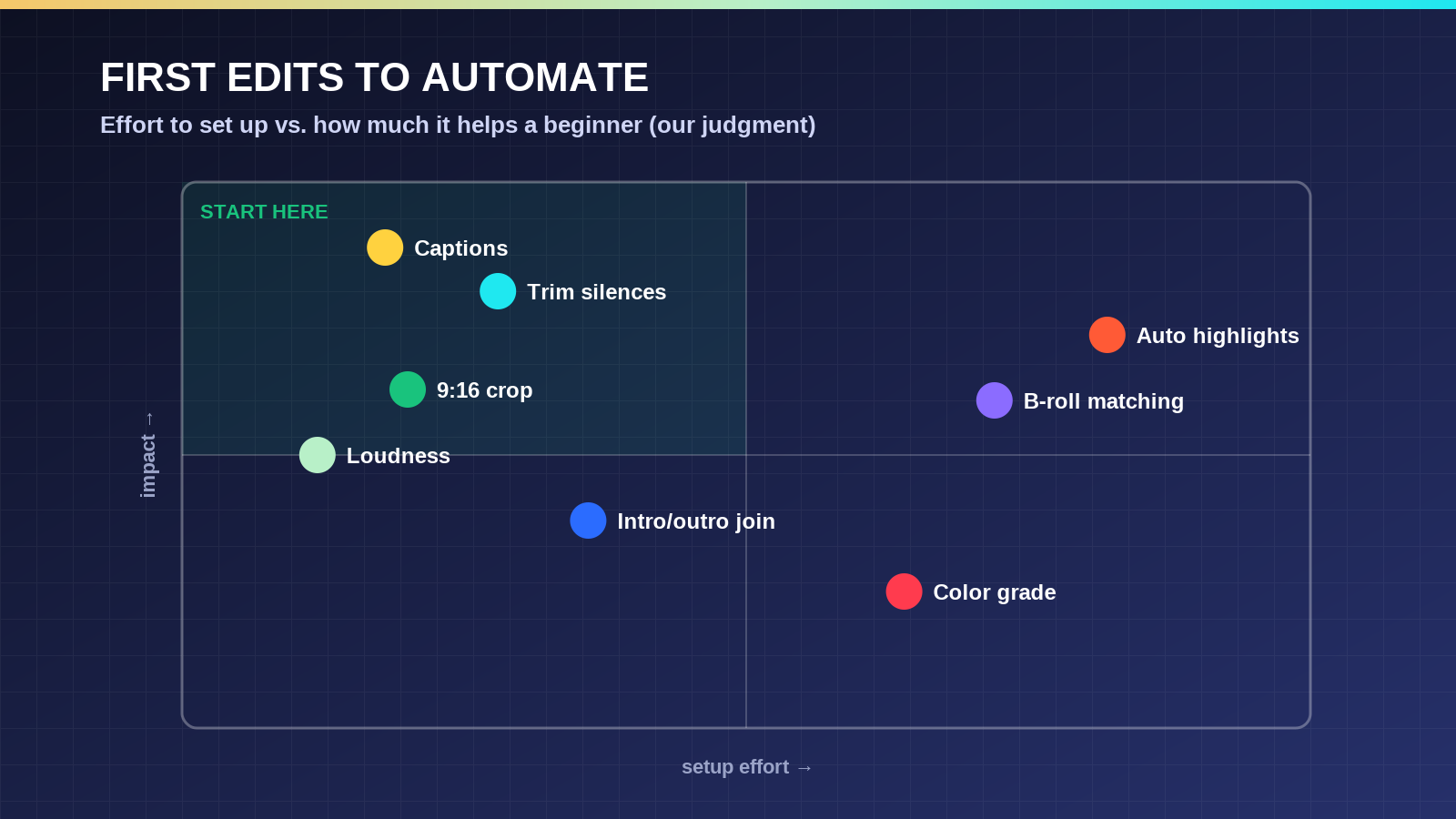
Start with edits that are easy to describe and easy to check. They're also the ones that make the biggest difference to a beginner's video.
1. Captions
Most short-form viewing happens with the sound off at least some of the time, and captions also help accessibility. Claude Code can transcribe your audio with a free speech-to-text model and either burn captions into the video or produce an .srt file to upload.
Transcribe raw/clip.mp4, make edit/captions.srt with at most 6 words per line, and show me the text so I can fix names.
2. Trim silences
Long pauses are the most common beginner problem in talking videos. Ask for pauses over about half a second to be removed, and always ask to see the list of cuts first.
3. Crop to vertical
Turn a horizontal clip into a 1080×1920 Short. YouTube now accepts Shorts up to three minutes, as long as they're vertical or square.
4. Even out the volume
Ask for loudness normalized to about −14 LUFS so your videos aren't quieter than everyone else's. It's one command and you'll never think about it again.
Want a head start?
The Starter kit is the setup we use: a code-based animation engine for faceless videos, the step-by-step blueprint and the prompts. Claude Code installs and tests it with you.
See the Starter kit, $19One-time payment. Requires Claude Pro ($20/month).
A complete first session
Here's what a realistic first editing session looks like, start to finish, for a 45-second Short cut from a longer recording:
- Copy your recording into
raw/. - Ask Claude Code to transcribe it and list the three most self-contained 30–60 second moments, with timestamps.
- Pick one. Ask for it to be cut, silences trimmed, cropped to 9:16 and normalized.
- Ask for captions burned in the middle third of the frame (see the safe zone below).
- Watch the result on your phone. Write two or three notes. Ask for a second version.
- Save your best prompts into
notes.mdfor next time.
Expect the first session to take an hour or more as you learn the back-and-forth. By the fifth video, the same steps go much faster, because your prompts and folder are already set. When you're ready to go beyond editing footage into fully animated faceless videos, read Claude AI YouTube automation.
Vertical videos: the safe zone
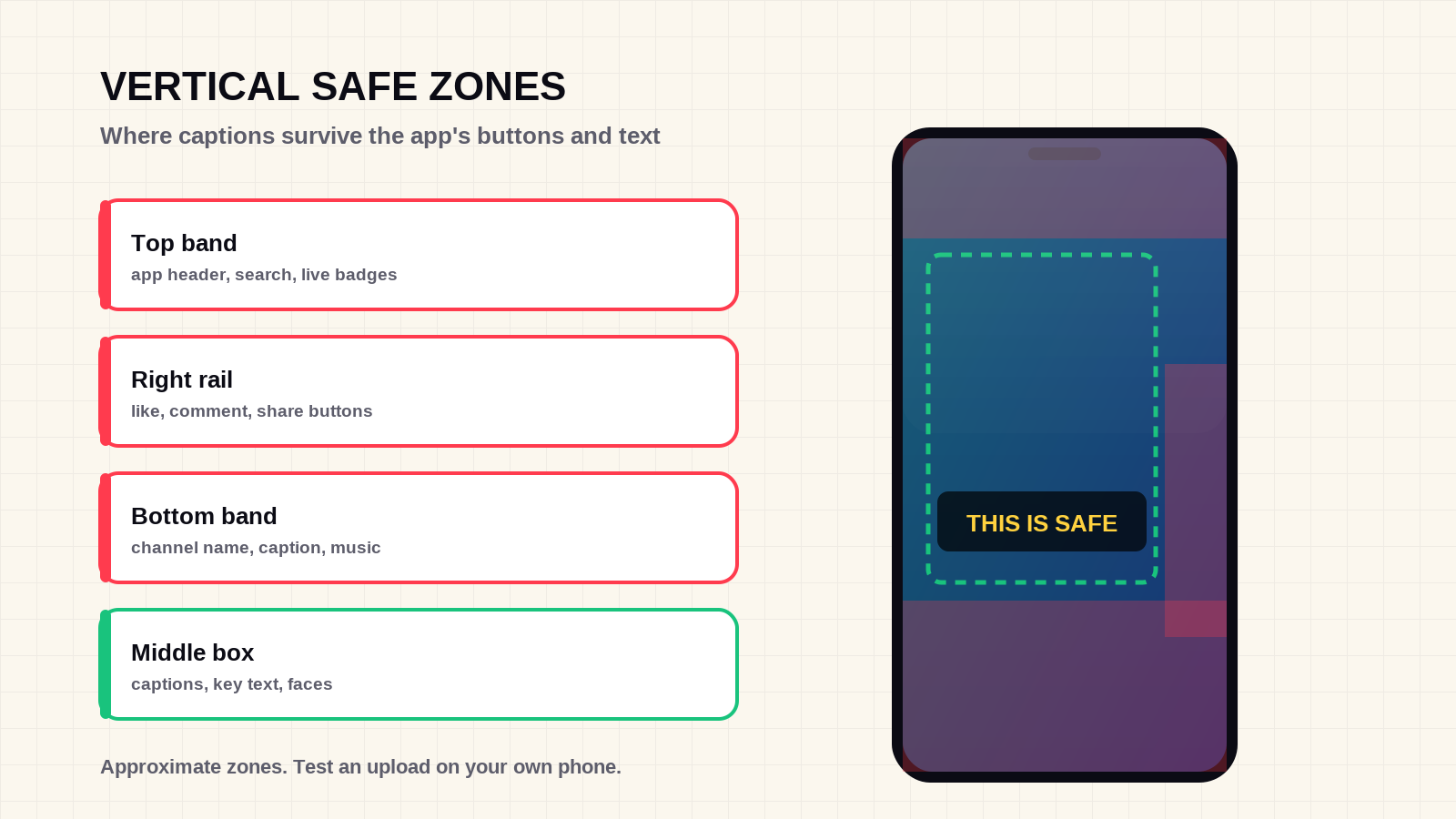
On Shorts, Reels and TikTok, the app draws its own interface on top of your video: buttons down the right side, channel name and description at the bottom, a header at the top. Captions placed in those areas get covered. Keep captions and key text in the middle of the frame, a little above center, and tell Claude Code to do the same in every prompt. Upload a private test once to see exactly where your app's buttons fall.
When to outgrow this setup
This setup is meant to be the floor, not the ceiling. Signs you're ready for the next step:
- You edit the same way every time. Turn your saved prompts into a single "house style" instruction file the agent reads at the start of each session.
- You want visuals without footage. That's the move to code-drawn animation and motion graphics; start with AI motion graphics with code.
- Renders keep your laptop busy for an hour. Move rendering to the cloud and keep working while it runs.
- You need a visual polish pass. Add a free timeline editor for the last 10%: music timing, a color tweak, a manual cut.
What you shouldn't do is jump straight to the most complex setup you can find. Every extra tool is another thing that can break, and as a beginner your scarce resource is attention, not features. Add one piece at a time, only when the current setup is clearly what's holding you back, and write down why you added it.
Beginner mistakes to skip
- Editing the original file. Always work on copies. Say it in your first prompt.
- Asking for "make it better". Be specific: "cut pauses over 0.6 s" works, "make it snappier" is a guess.
- Not watching the output. A command can succeed and still produce the wrong edit.
- Buying five AI apps on day one. Start with the setup above; add tools only when you hit a real limit.
- Using music you don't own. Use royalty-free libraries or music you have rights to.
- Expecting overnight results. Editing skills and channels both grow with repetition. No setup, ours included, guarantees views or income.
Need to get your own published clips back from Instagram or TikTok to re-edit? Our free tools page does that for content you own.
FAQ
What is the easiest AI video editing setup for beginners?
A computer, Claude Pro with Claude Code, the free ffmpeg tool and one tidy folder per video. You describe edits in plain English, Claude Code runs them, and you check every result.
Do I need editing experience to use AI video editing?
No. Start with edits that are easy to describe and check: captions, trimming silences, cropping to vertical and evening out volume. You'll pick up editing concepts as you go.
Is ffmpeg safe and free?
Yes. ffmpeg is free, open-source software used by a large share of video tools. Ask Claude Code to install it the standard way for your system and to explain each step first.
How long should a beginner's first YouTube Short be?
YouTube accepts vertical or square Shorts up to three minutes, but most beginners do better with 30 to 60 seconds: one idea, a fast hook and a clear ending.
Can AI edit my video automatically without me checking?
It can run the edits, but you should always watch the result. AI can cut the wrong moment or mishear a name, and catching that takes a minute of your time.
Start simple. Stay consistent.
Get the engine, the blueprint and the prompts, and make your first video this week.
See the Starter kit, $19One-time payment. Requires Claude Pro ($20/month).