
Claude Code · Video editing
Claude video editing: what Claude Code can (and can't) do with video
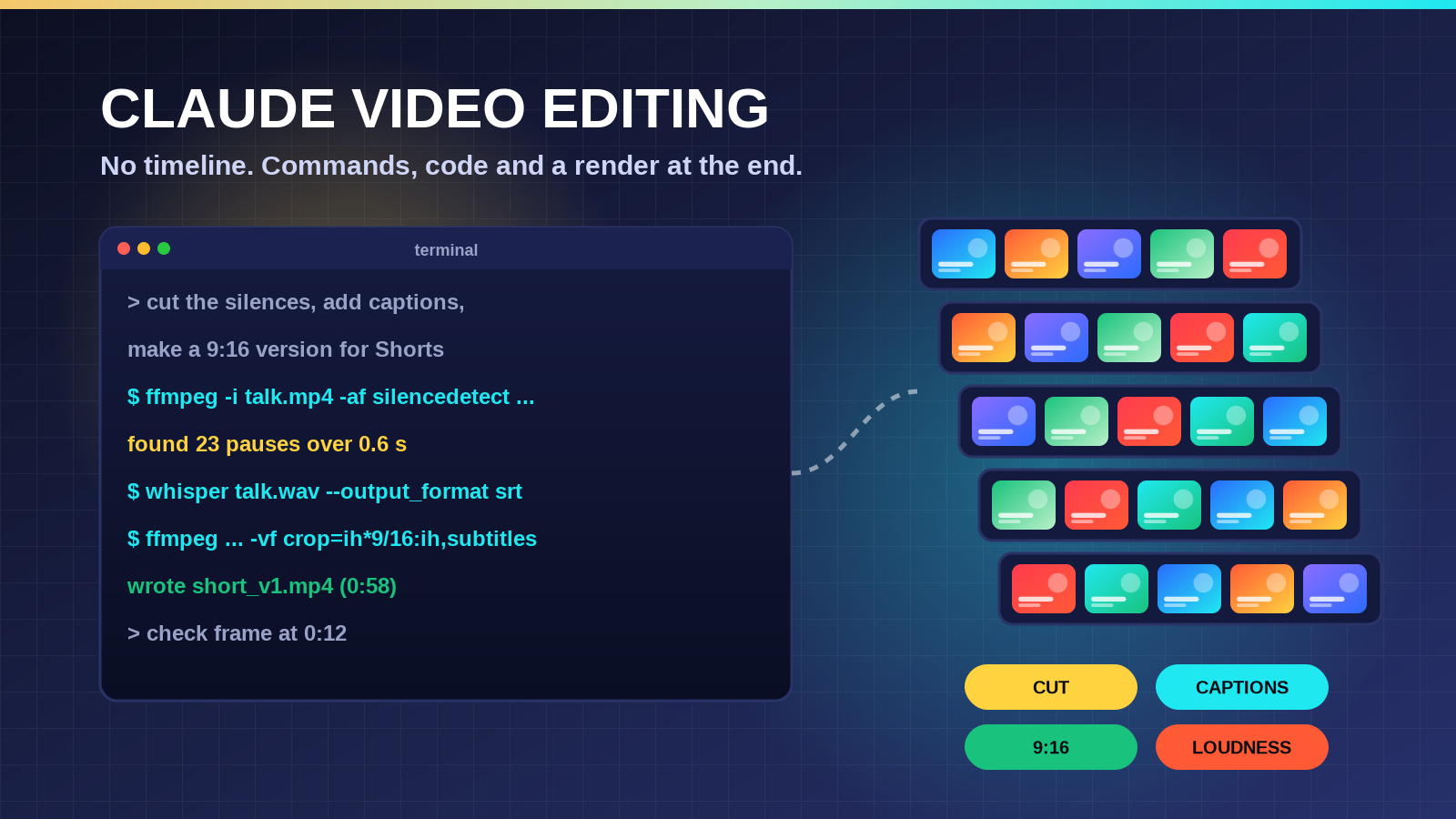
People search for "Claude video editing" expecting a Premiere-style app with an AI button. That's not what it is. Claude Code has no timeline and can't drag a clip anywhere. What it can do is write and run the programs that edit video: ffmpeg commands, caption scripts, code-drawn animation and batch renders. For a lot of YouTube work that turns out to be faster than a timeline. For some of it, it's the wrong tool. This guide draws the line clearly.
What "Claude video editing" really is
Claude is a language model. On its own, in a chat window, it can talk about your video but can't open it. Claude Code is different: it's Anthropic's coding agent, included with the Claude Pro plan, and it runs on your computer (in a terminal or in the Claude desktop app). It can read files, install tools and run programs, after asking you.
So "editing with Claude" means this loop:
- You describe the edit in plain English.
- Claude Code writes a command or a small script that does it (usually with ffmpeg, the free command-line video tool almost every editor uses under the hood).
- It runs the command, checks the output file and reports back.
- You watch the result and ask for changes.
The honest summary: Claude Code is an editor that works through code, not a mouse. It's excellent at precise, repeatable, boring edits. It is not a replacement for your taste.
What it can do (and the tool behind each job)
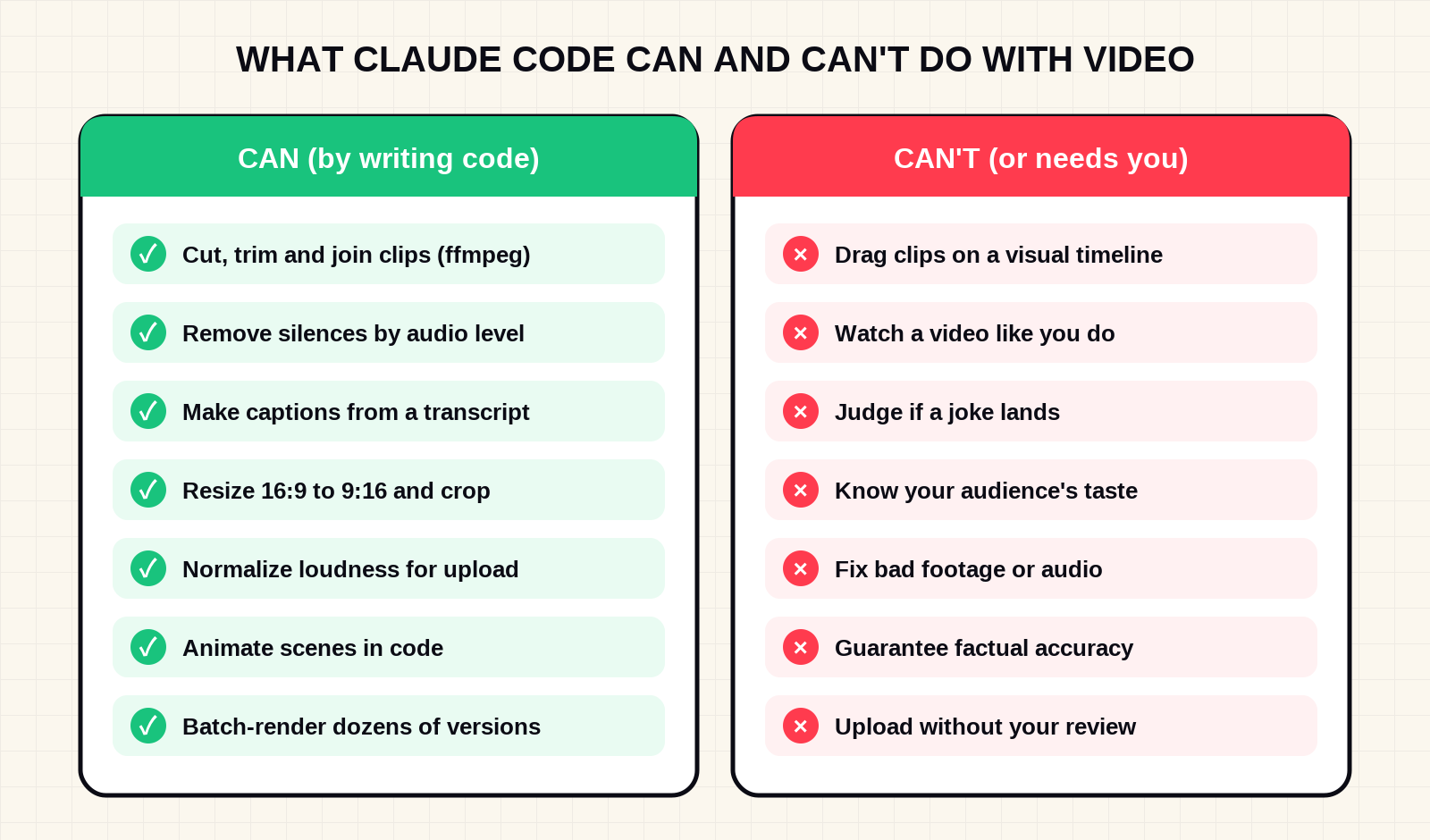
| Job | What Claude Code uses | Good for |
|---|---|---|
| Cut, trim, join clips | ffmpeg | Removing intros, stitching segments, exporting sections |
| Remove silences | ffmpeg's silencedetect filter + a script that builds the cut list | Talking-head and voice-over videos |
| Captions | A speech-to-text model such as open-source Whisper, then ffmpeg to burn them in or an .srt file to upload | Shorts, accessibility, silent viewing |
| Reframe 16:9 → 9:16 | ffmpeg crop and scale | Turning long videos into Shorts |
| Even out loudness | ffmpeg's loudnorm filter | Consistent volume across uploads |
| Animated scenes | Code-based animation (HTML/React or Python libraries rendered to MP4) | Explainers, charts, faceless channels |
| Many versions at once | A loop over a folder, or a cloud render service | Batches of Shorts, language versions, A/B intros |
None of this is magic. Every row is something a technical editor could do by hand with the same free tools. The difference is that you no longer need to know the syntax: you need to know what you want.
What it can't do
- It has no timeline. You can't scrub, drag or nudge a clip by eye. If an edit needs "a bit to the left, no, back", a visual editor is faster.
- It doesn't watch video the way you do. Claude reads text and images, not video files. To "see" a clip, Claude Code pulls still frames out of it and reads a transcript (more on that below). It can miss things that only make sense in motion: a joke's timing, a jump cut that feels wrong.
- It can't fix bad material. Muddy audio, shaky footage and a weak script are still muddy, shaky and weak after a perfect cut.
- It doesn't know your audience. It can suggest a hook. Only your analytics and your judgment can tell you whether it worked.
- It can be wrong. A command can succeed and still produce the wrong edit. That's why every workflow below ends with you watching the file.
How Claude "looks at" a video
When you ask Claude Code to "find the boring part" or "check the frame at 0:12", here's what actually happens:
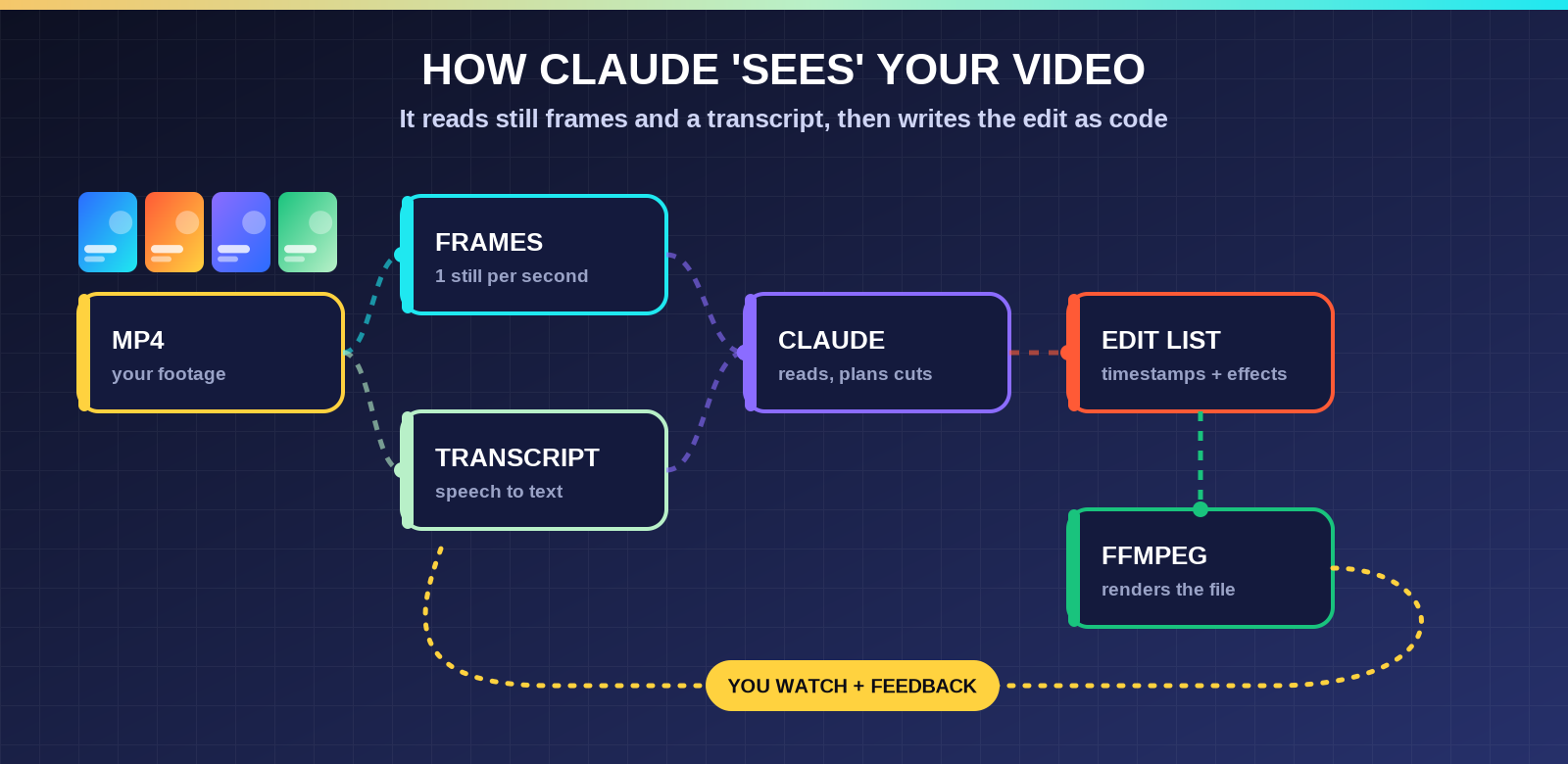
- ffmpeg extracts still images, for example one per second, or one at the exact timestamp you named.
- A speech-to-text step produces a transcript with timestamps.
- Claude reads the stills and the transcript, then writes an edit list: which seconds to keep, where captions go, where to zoom.
- ffmpeg (or an animation renderer) turns that list into a new MP4.
This works well for structure ("cut every pause over half a second", "remove the part where I repeat myself") and poorly for feel ("make it more exciting"). Phrase requests the first way and you'll get much better results.
Skip the setup weeks
The Starter kit is the setup we use ourselves: a code-based animation engine, the blueprint and the prompts. Claude Code installs and tests it with you, so your first edit isn't also your first week of debugging.
See the Starter kit, $19One-time payment. Requires Claude Pro ($20/month).
5 edits to hand over, with prompts
These are the jobs where we see the biggest time savings. Always work on a copy of your footage; ask Claude Code to never overwrite the original.
1. Trim silences in a talking-head video
Make a copy of talk.mp4. Find every pause longer than 0.6 s (audio below -35 dB) and cut it, leaving 0.15 s of air at each cut. Show me the list of cuts before you render.
Asking for the list first matters: you can spot a "pause" that was really a dramatic beat before it disappears.
2. Captions you can upload or burn in
Transcribe short.mp4 and make an .srt with at most 6 words per line. Then make a second version with the captions burned in, large white text with a dark outline, in the middle third of the frame.
Keep the .srt even if you burn captions in: uploading it to YouTube gives viewers a proper caption track. Read the transcript once; speech-to-text still trips on names and numbers.
3. Reframe a horizontal clip for Shorts
Cut 0:42 to 1:31 from podcast.mp4 and make it 1080x1920. Keep the speaker centered. Add a 1-line title at the top for the first 3 seconds. Export as clip_01.mp4.
A centered crop is easy. Following a speaker who moves around takes more work (face tracking), so start with stable shots.
4. Make every upload equally loud
Normalize the audio of every MP4 in /exports to about -14 LUFS integrated, true peak -1.5 dB, without re-encoding the video.
Around −14 LUFS is the level YouTube is widely reported to play back at, so videos mixed far louder just get turned down. Treat it as a target, not a law.
5. Export the same edit in several formats
Take final.mp4 and export: 16:9 1080p for YouTube, 9:16 for Shorts (center crop), and a 1:1 version. Name them with the date and topic.
Programmatic animation and batch renders
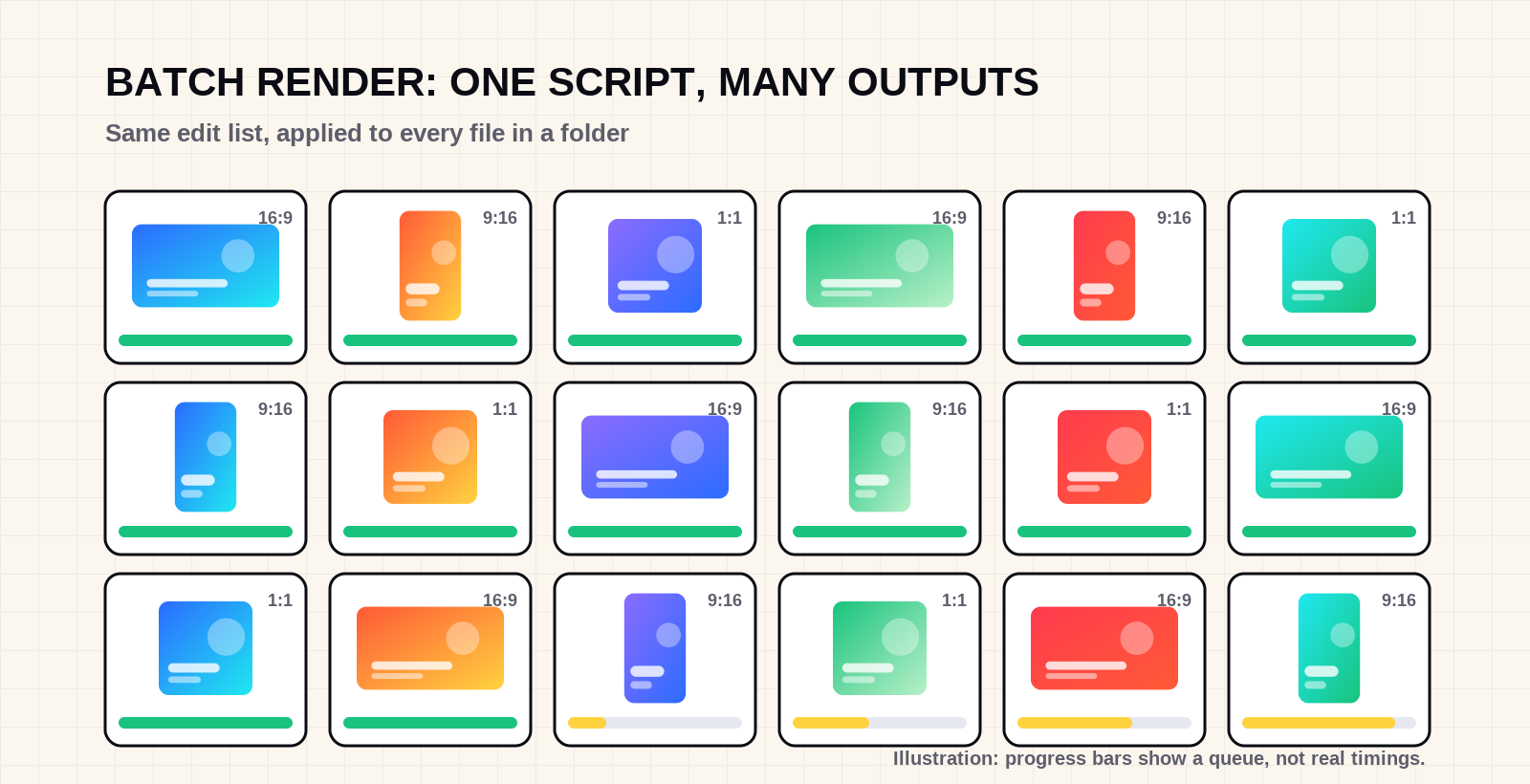
The most underrated part of Claude video editing isn't editing footage at all. It's making video from code. Frameworks that render HTML, React or Python drawings to MP4 let Claude Code build scenes the same way it builds a web page: characters, charts, captions and camera moves all defined in text. We cover this in depth in AI motion graphics with code.
Why that matters for YouTube:
- Consistency. The same character or layout looks identical in every episode, because it's the same code.
- Changes are cheap. Fix a typo in the script and re-render; there's no timeline to rebuild.
- Batches are natural. Ten Shorts from ten scripts is a loop, not ten editing sessions.
Rendering is the slow part. A minute of animated video can take many minutes on a laptop, so for anything longer than a quick test, a cloud render that splits the job into chunks is far faster. Our Claude AI YouTube automation guide shows how that fits into a full faceless workflow.
Licenses: some code-video frameworks are free only for individuals and small teams. Remotion, for example, is free for individuals and companies of up to three people and needs a paid company license above that. Check the license of whatever Claude Code installs.
When to open a normal editor instead
Use a timeline editor when the edit is mostly about feel: music-driven montages, comedy timing, color grading by eye, or one-off videos you'll never repeat. Use Claude Code when the edit is describable and repeatable: the same cleanup every week, captions on everything, many formats from one master, animated explainers.
Plenty of creators do both: Claude Code handles the rough cut, captions and exports; a quick pass in a visual editor handles the final polish. If you're starting from zero, our AI video editing for beginners guide shows the simplest version of that setup. And if you need to grab your own published clips back from Instagram or TikTok to re-edit them, our free tools page can help.
FAQ
Can Claude edit videos?
Not in a timeline. Claude Code edits video by writing and running code, mostly ffmpeg commands and scripts, to cut, caption, reframe, normalize audio and render. You describe the edit in words and review the file it produces.
Can Claude watch a video?
Not directly. Claude reads text and images, so Claude Code extracts still frames and a transcript from the video and works from those. It handles structure well and can miss things that only show up in motion, like timing.
Do I need to know ffmpeg or coding?
No. Claude Code writes the commands. It helps to read the plan it shows you before it runs anything and to keep your original files untouched.
Is Claude video editing free?
Claude Code comes with the Claude Pro plan ($20/month). ffmpeg and open-source speech-to-text models are free. Cloud rendering, premium voices and some animation frameworks can cost extra.
Will it replace my video editor app?
For repetitive, describable edits it can. For edits driven by feel, like comedy timing or color by eye, a visual editor is still faster. Many creators use both.
Edit with words, check with your eyes.
Get the engine, the step-by-step blueprint and the prompts, and let Claude Code do the repetitive part of your edit.
See the Starter kit, $19One-time payment. Requires Claude Pro ($20/month).